How to Recreate a Full Luxury Wedding Album Using Just Two Old Photos (Step-by-Step AI Guide)
We all have that one faded, slightly dusty photograph tucked away in a family drawer. Maybe it’s a grainy passport-sized picture of your parents from decades ago, or a single, low-resolution snapshot of your grandparents on their wedding day. Twenty or thirty years ago, hiring a high-end wedding photographer wasn’t just expensive—for many families working through strict budgets or sudden life constraints, it was a luxury that simply had to be skipped. If you want to bring those old family photos back to life in stunning 8K quality, using professional AI Wedding Memory Recreation Prompts is the ultimate, cost-free solution to rewrite your family’s visual history.
For a long time, missing out on a professional photographer meant living with a quiet, lingering regret: not having a beautiful, professional wedding album to look back on, showcase on a living room table, or pass down to grandchildren.
But technology has finally caught up with our memories.
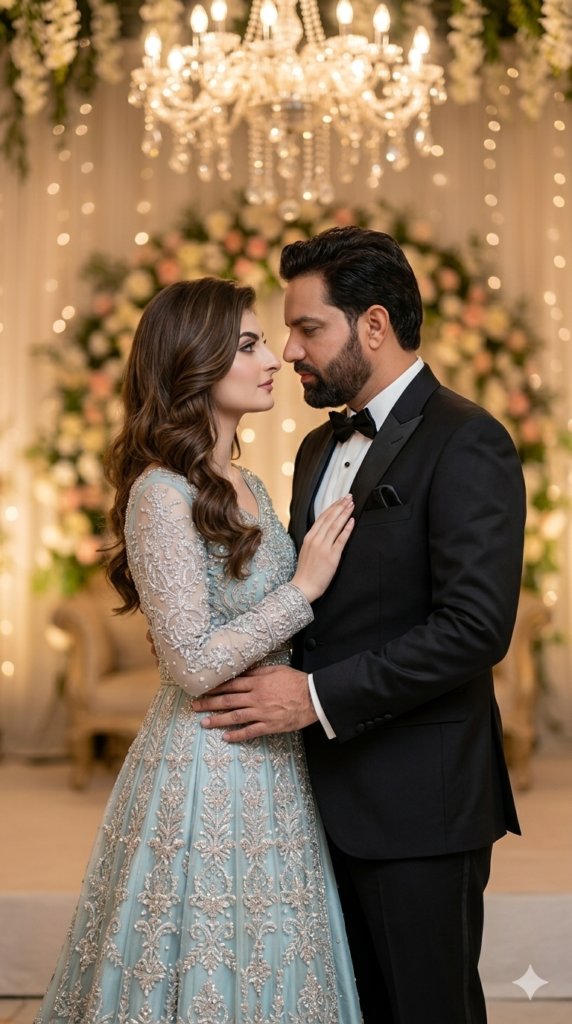
Today, you don’t need a massive production budget or professional editing skills to fix this. Using free, everyday generative AI tools like Google Gemini or ChatGPT, you can take just two simple, old face photos and faithfully reconstruct a complete, high-class, 12-shot South Asian Walima (Reception) wedding album. Our curated list of AI Wedding Memory Recreation Prompts will guide you through the entire process seamlessly.
The best part? This isn’t about generating random cartoonish graphics. This guide will show you how to maintain strict, flawless visual consistency—keeping the couple’s clothes, makeup, and expressions perfectly uniform across every single shot—so the final result looks like a real, editorial-grade modern photoshoot.
The Secret to Absolute Consistency (Locking the Style)
The biggest frustration people face when using free AI tools is “style drifting.” You type one prompt, and the groom is wearing a blue suit. You type the next, and his suit suddenly turns grey. To make a digital album look authentic, it must feel like it was shot on the exact same evening.
To solve this, our master prompt sequence locks in a premium, ultra-luxury South Asian Walima aesthetic across all 12 scenes:
The Groom’s Attire: A structured, tailored bespoke jet-black slim-fit three-piece luxury tuxedo, a crisp white dress shirt, and a black matte silk bow tie.
The Bride’s Attire: A breathtaking, heavily flared silver-grey luxury bridal maxi gown embedded with thousands of shimmering Swarovski crystals and intricate silver zardozi hand-embroidery.
The Bridal Look: World-class celebrity-grade dewy matte makeup with flawless jawline blending.
By keeping these details identical in every script, the AI builds a continuous narrative. Let’s look at the 12-shot production sequence.
The 12-Shot Luxury Walima Prompt Sequence
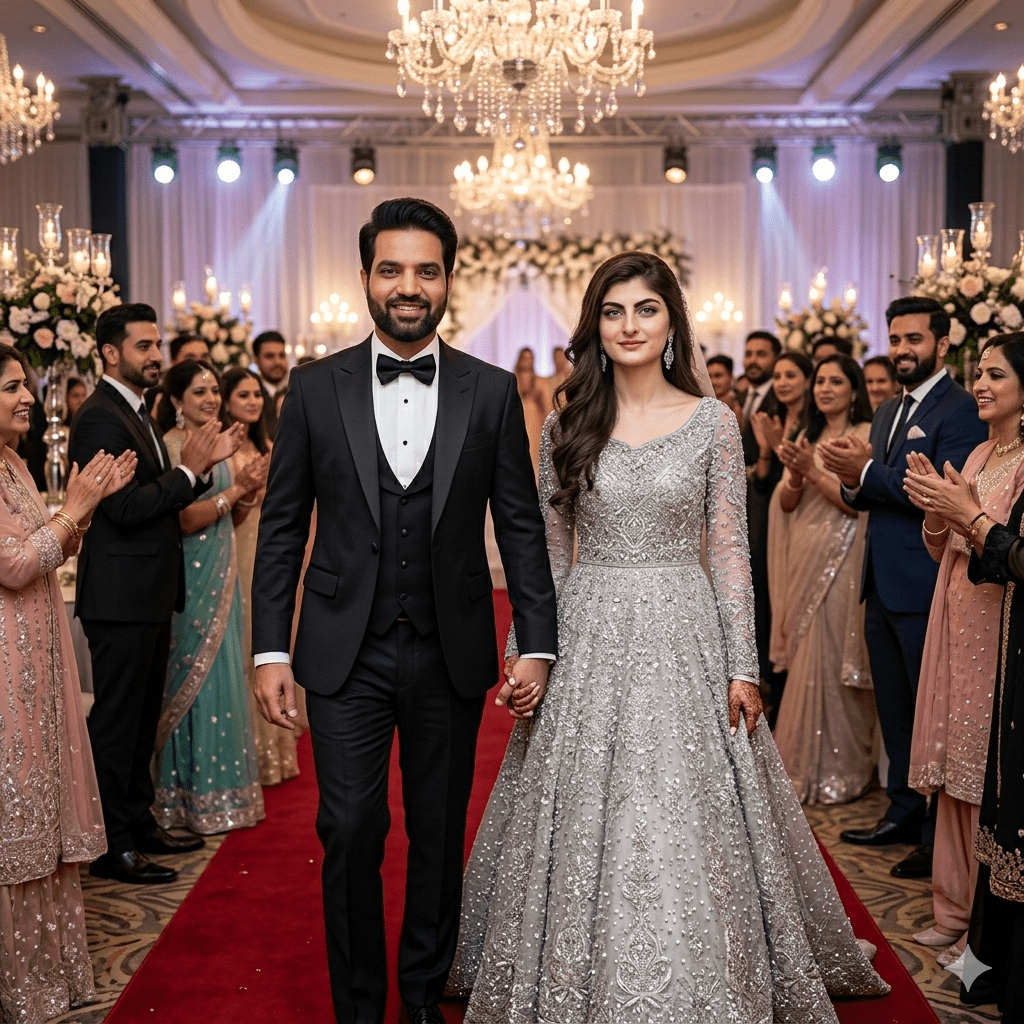
1. The Grand Entrance (The Couple Portrait)
This shot establishes the narrative as the couple walks into the reception hall. It forces the AI to calculate a single, unified light source over both characters.
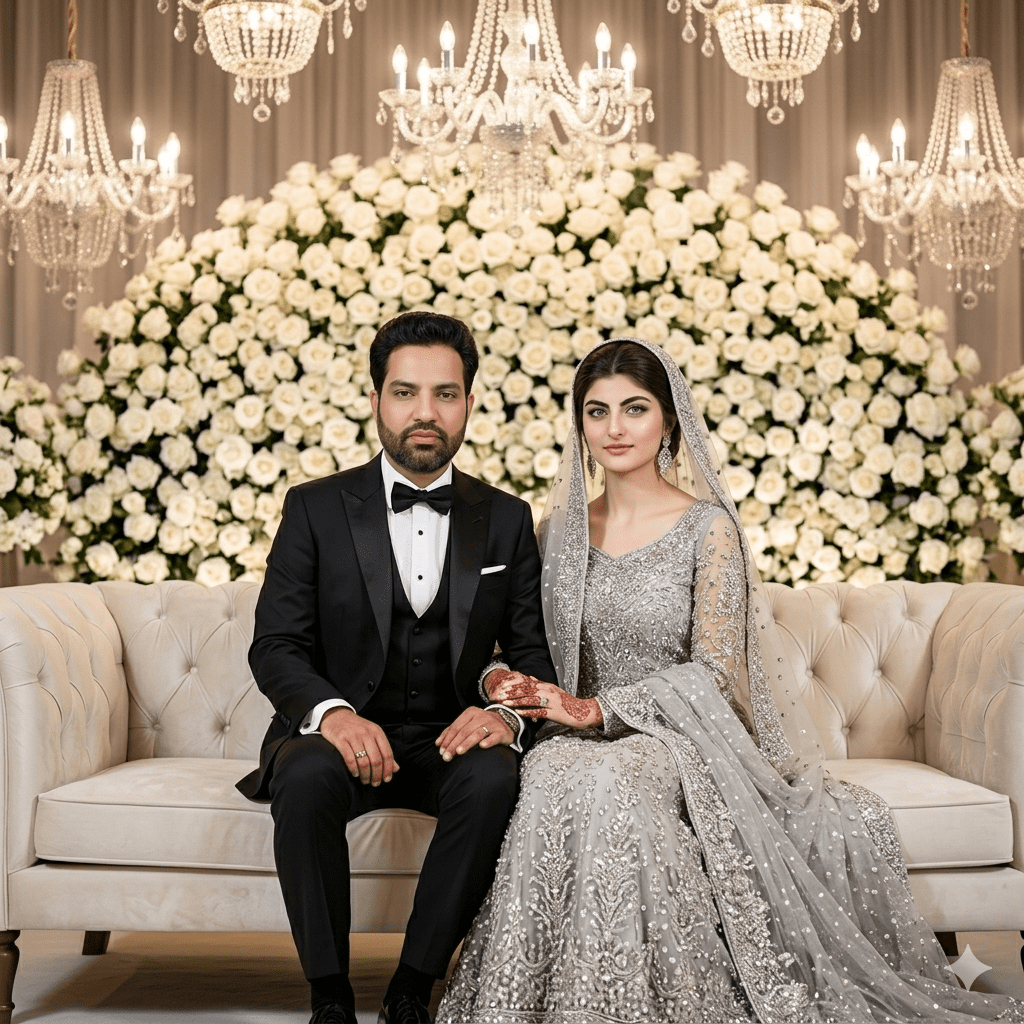
2. The Regal Stage Portrait (Seated View)
Moving the couple to the main lounge setup. This framework anchors them deeply into a plush environment while maintaining the exact clothing colors and fabric weights.
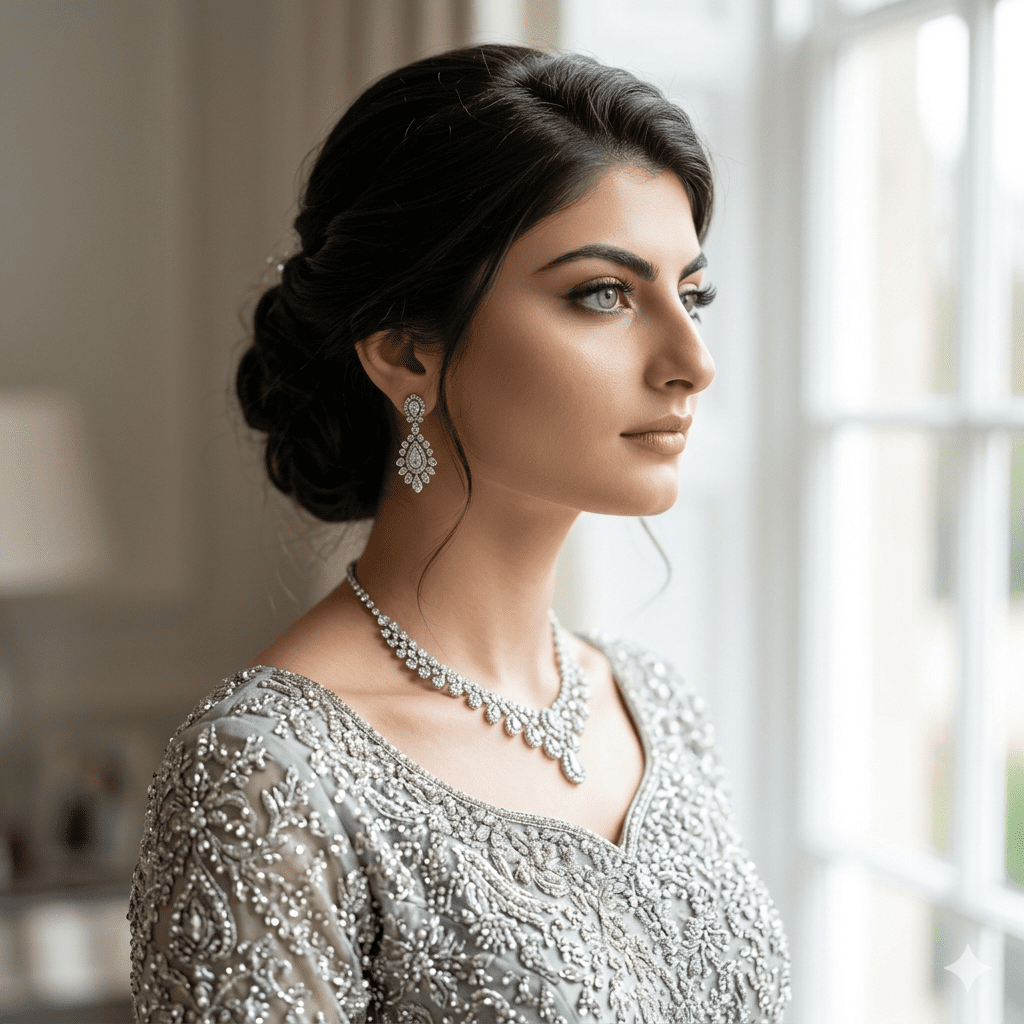
3. The Candid Bridal Portrait (The Ultra-Luxury Close-Up)
A close-up shot focusing entirely on the bride. It is specifically written to ensure smooth skin blending around the neck and shoulders, eliminating any artificial “cut-out” edges.
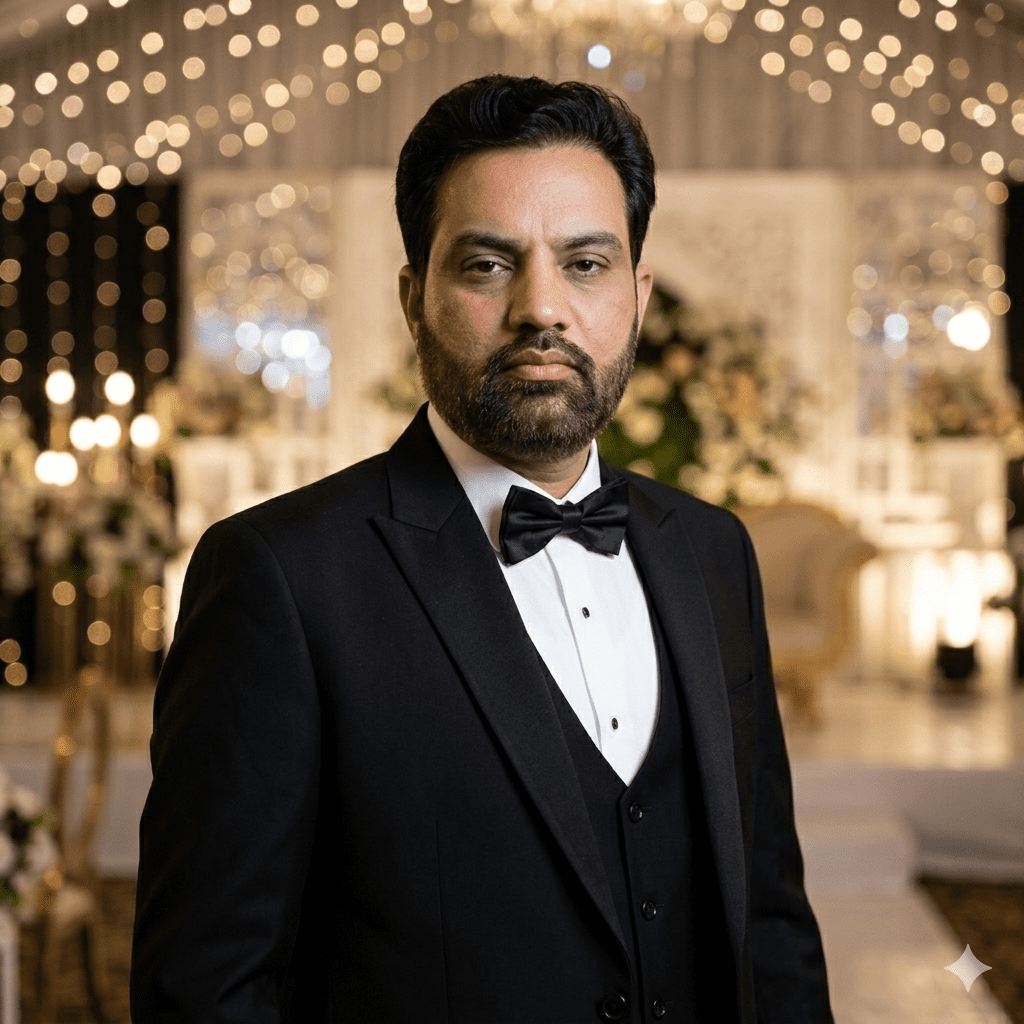
4. The Groom’s Royal Portrait (Bespoke Tailoring)
A solo shot focusing on sharp masculine tailoring, clean silhouettes, and realistic skin textures for the groom.
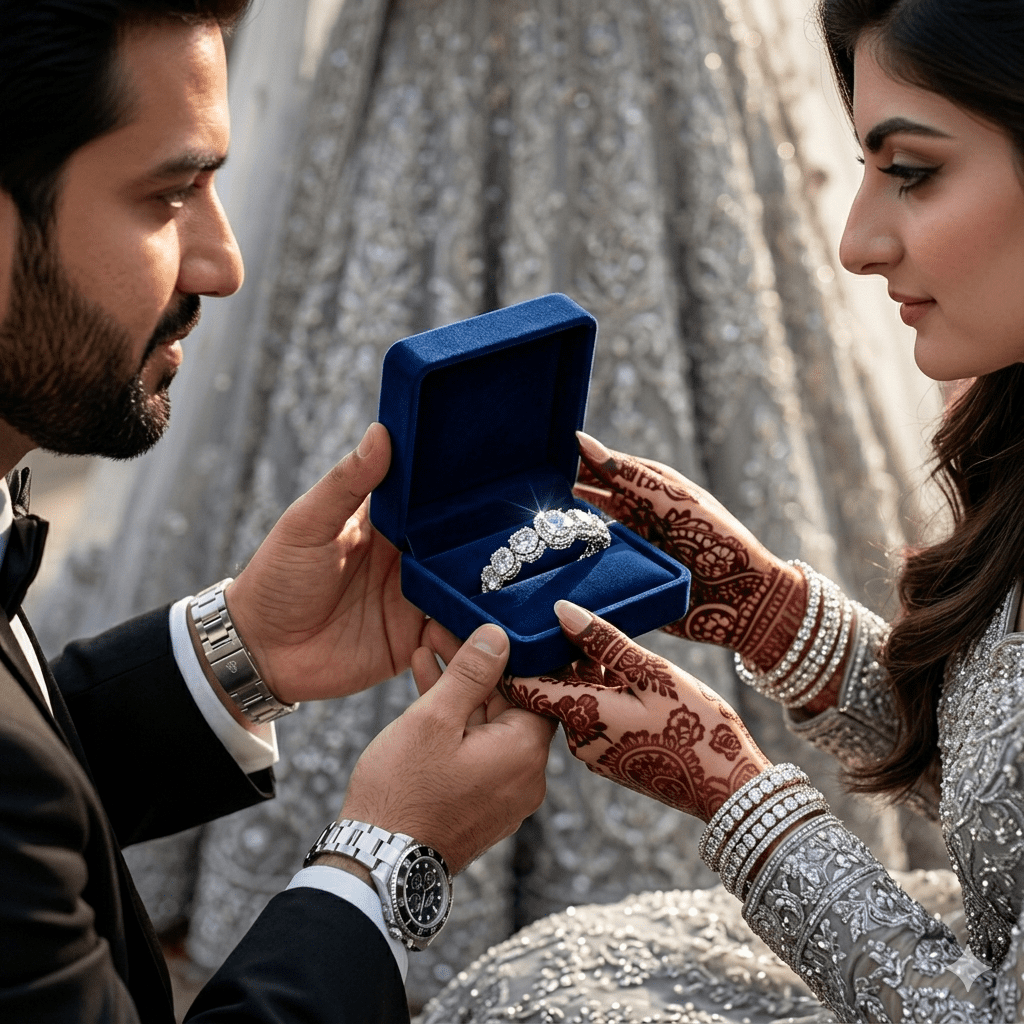
5. The Luxury Gift Exchange Moment
Capturing a traditional South Asian custom on stage. This shot emphasizes realistic hand placement, detailed maroon henna, and luxury accessories.
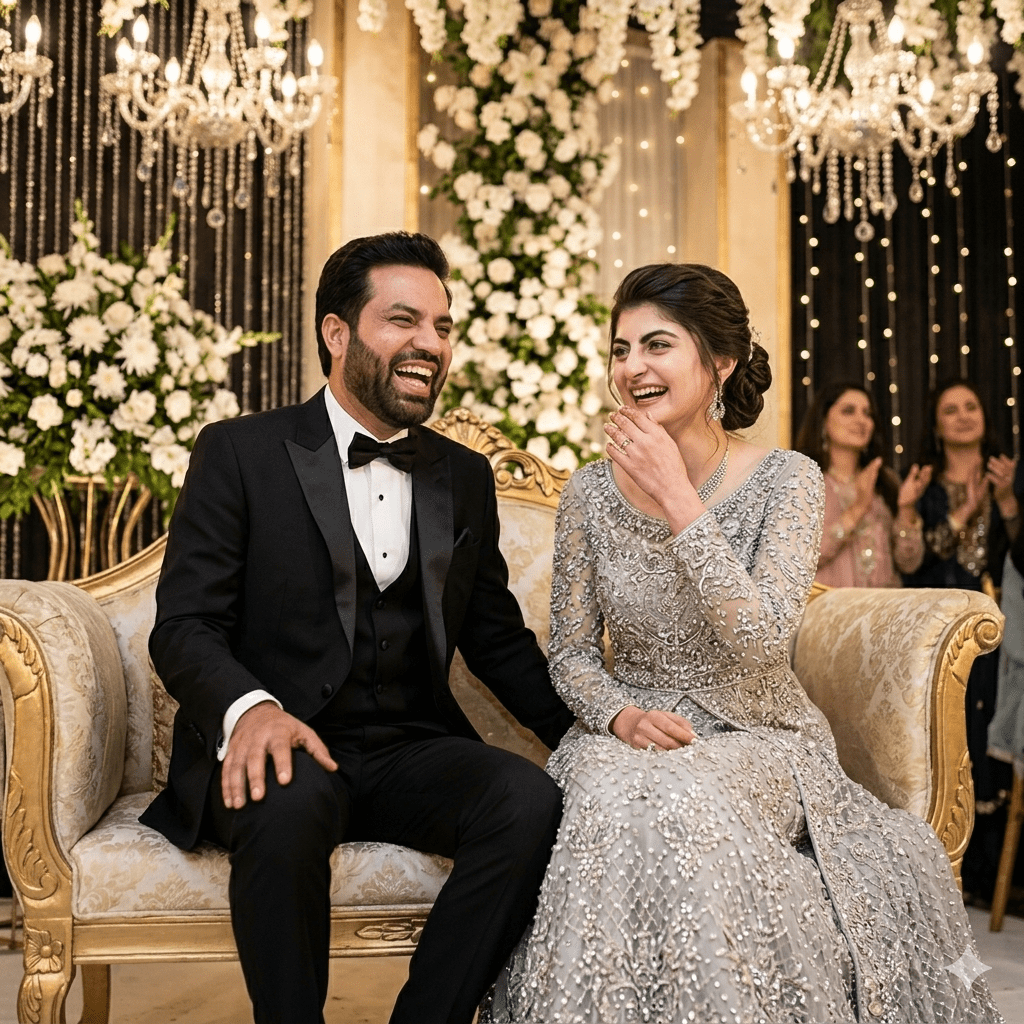
6. The Close-Up Portrait of Shared Joy
A natural, unposed medium shot that captures an emotional connection while preventing facial expressions from looking robotic or warped.
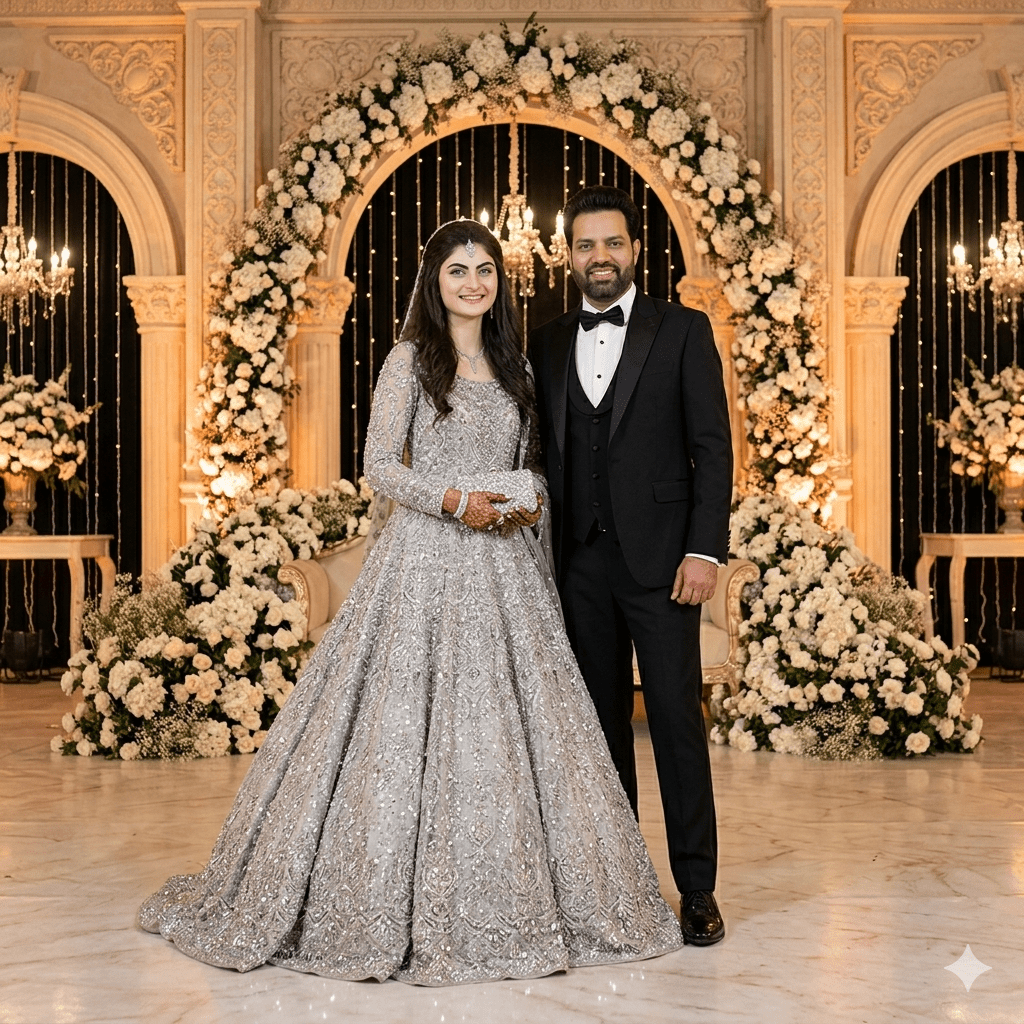
7. The Stage Standing Full-Length Shot
An editorial-style, full-length visual meant to showcase the grand architectural background and the elegant drape of the bridal gown.
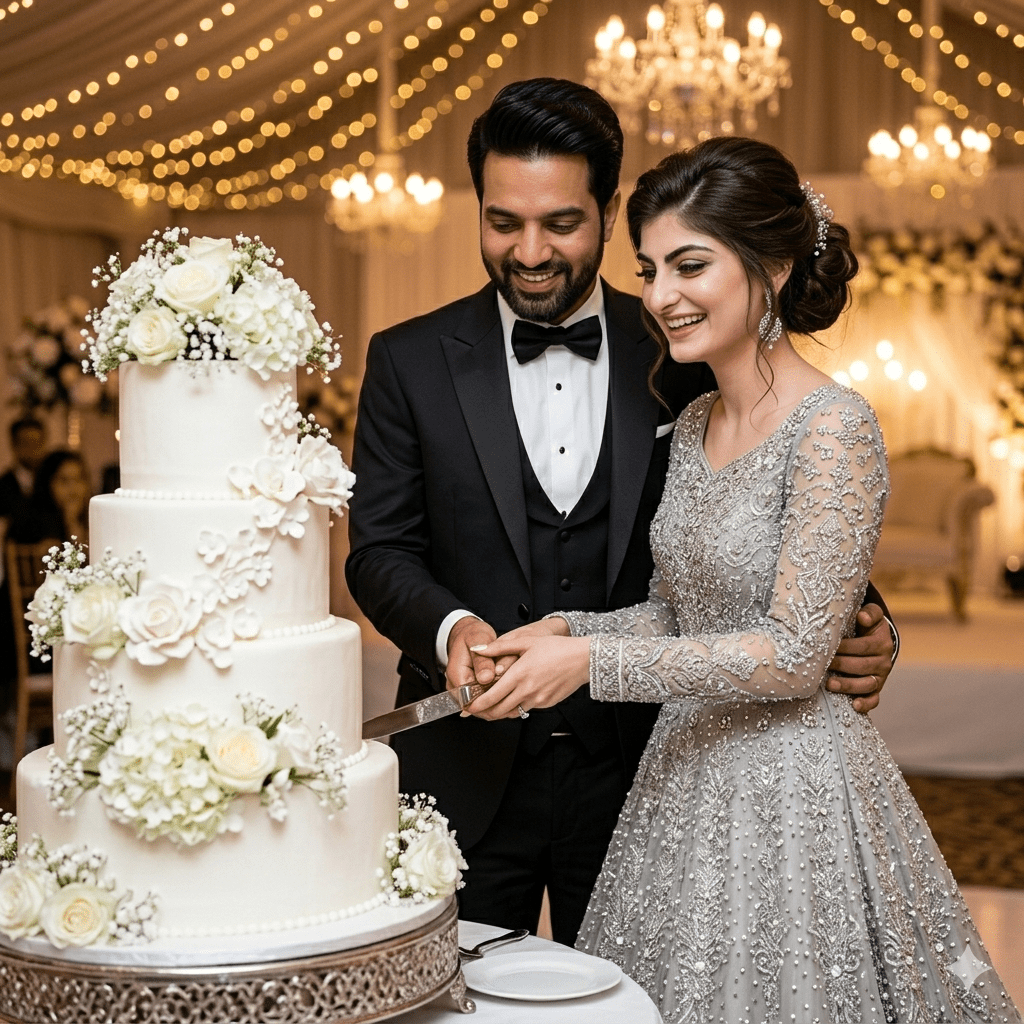
8. The Elegant Cake Cutting Ceremony
Adding action and movement into the album documentation. It keeps both characters balanced with no weird anatomical overlaps.
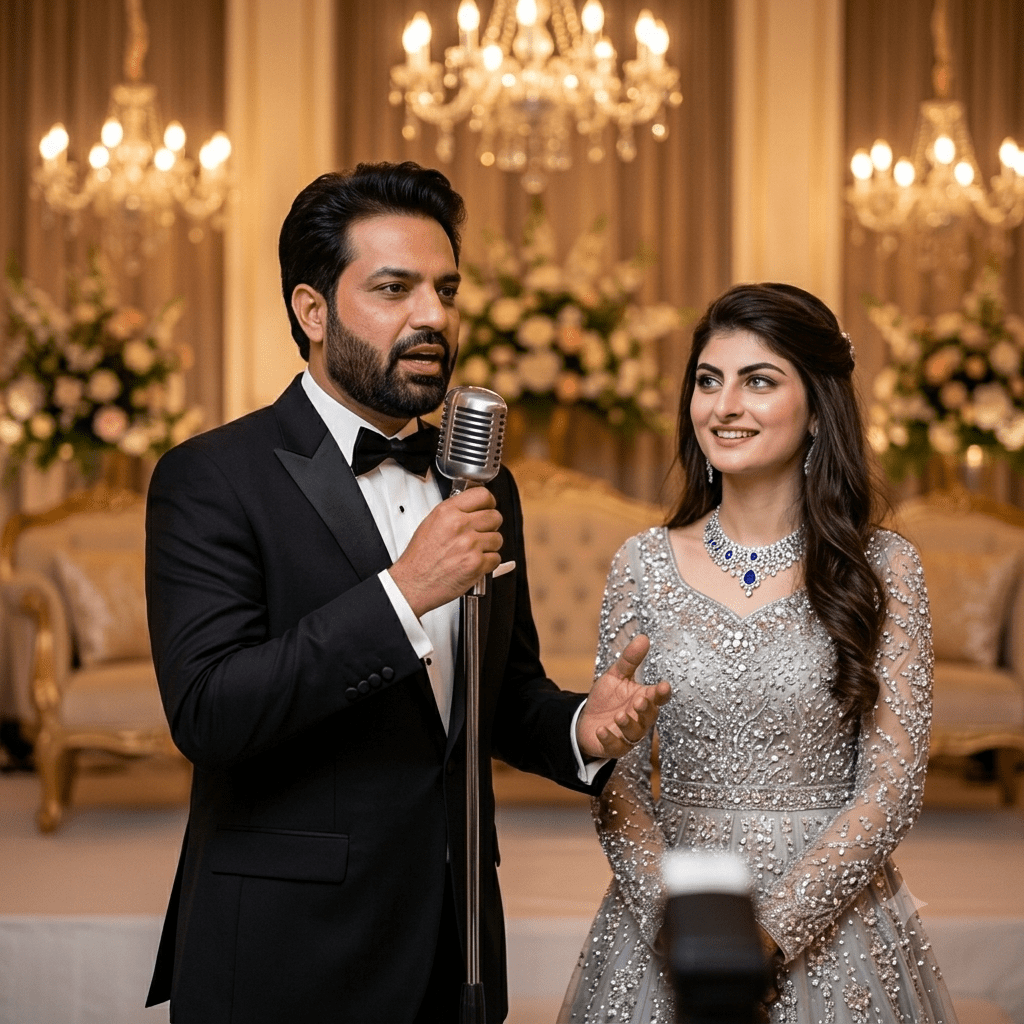
9. The Groom’s Welcome Speech
A documentary-style frame that makes the entire digital restoration feel like a living, breathing historical event rather than a static pose.
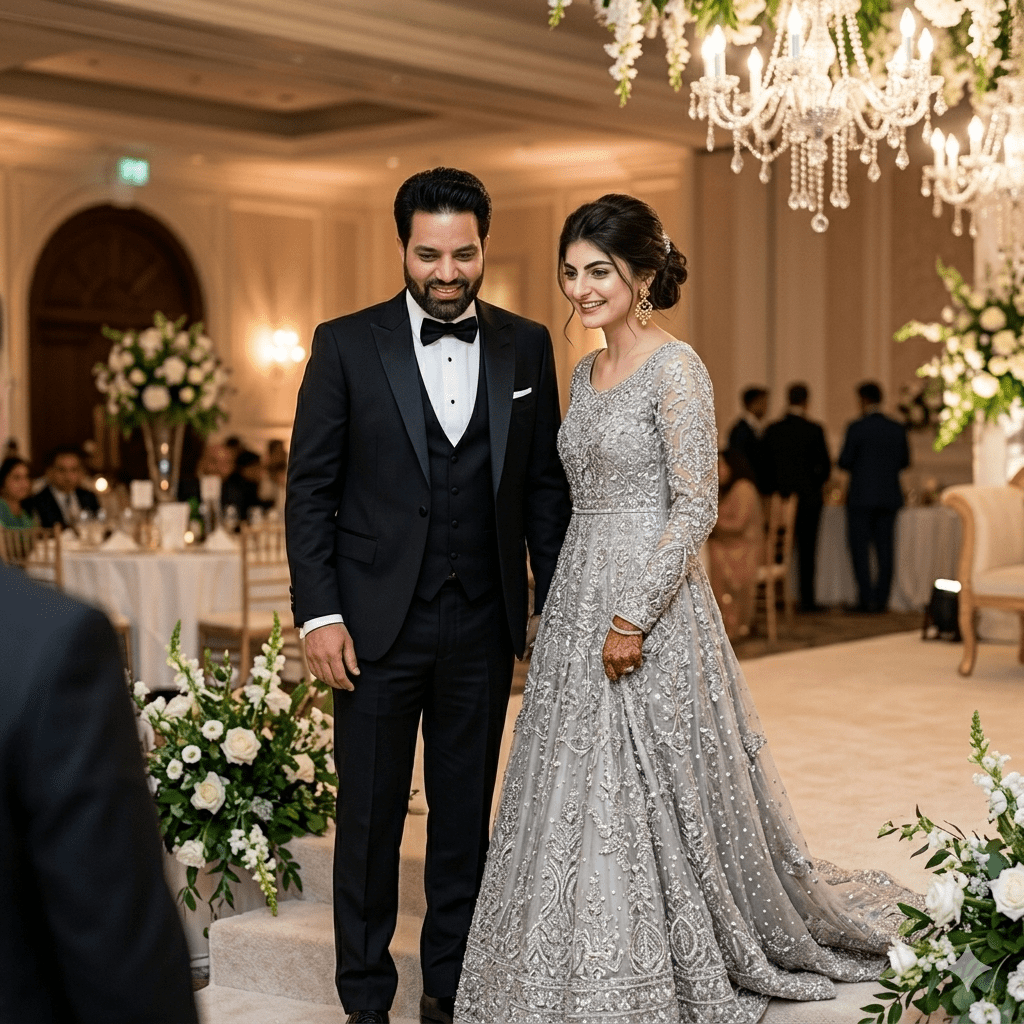
10. The Stage-Edge Guest Greeting
A relaxed, candid angle showing the couple welcoming family members, providing an authentic, documentary wedding vibe
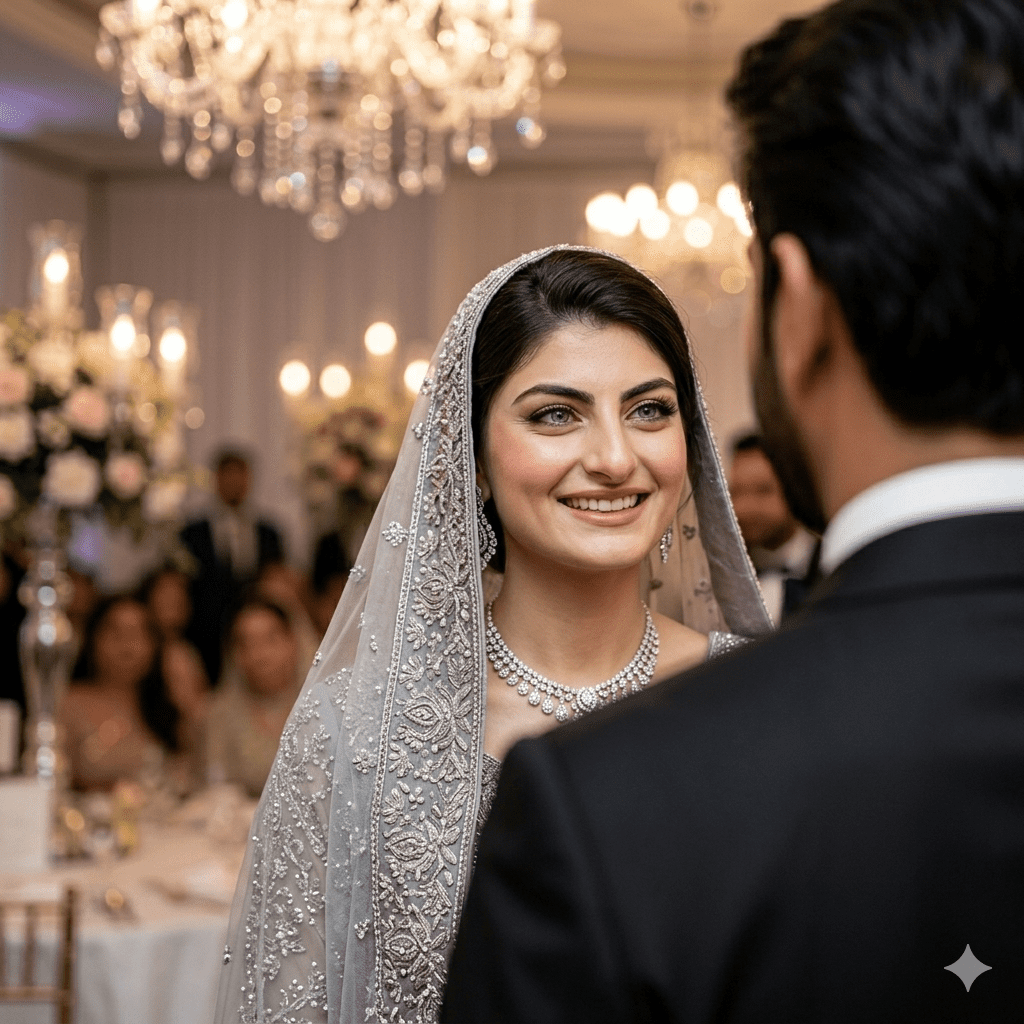
11. The Cinematic Over-The-Shoulder Close-Up
A high-fashion depth perspective that places the focus entirely on the bride’s expression while showcasing the texture of the groom’s suit jacket.
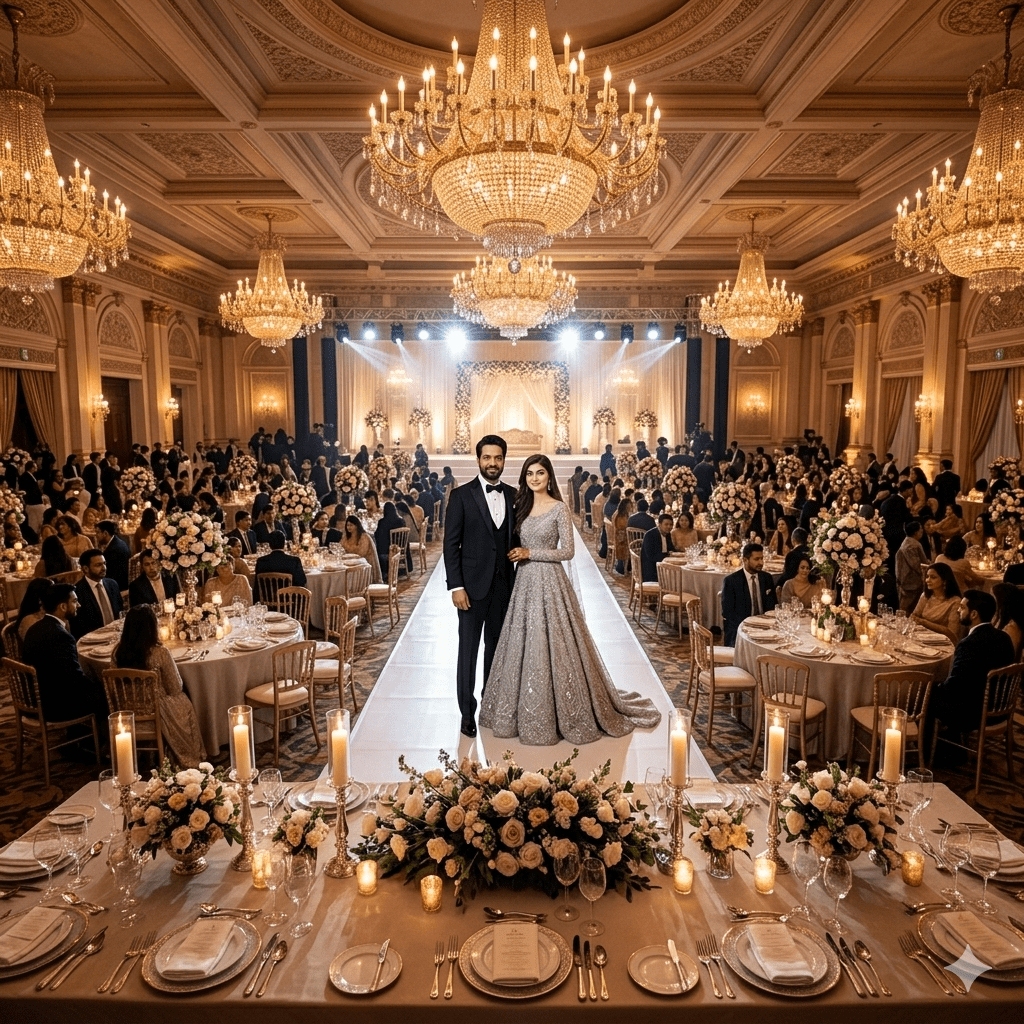
12. The Grand Architectural Venue View (Living Atmosphere)
The ultimate closing shot. Instead of an empty, cold room design, this prompt populates the entire space with ambient luxury life, luxury centerpieces, and glowing candles.
Step-by-Step Mastery Guide: How to Prompt Like a Human
Because free AI tools don’t have access to paid studio features like direct identity locks (--cref), getting a perfect face match requires a clever conversational technique. Don’t just paste a prompt immediately. Follow this simple human workflow:
Clean Your Source Images: Take your old physical passport photos, scan them clearly using a smartphone app, and crop them closely around the face. Ensure the lighting on the original photo is as clear as possible.
The “Context Injection” Strategy: Before you generate any scene, upload the cropped face photos to Gemini or ChatGPT and talk to it like a human assistant. Paste this exact phrase:
“Take a look at the man and woman in these old photos. Pay close attention to their jawlines, eye shapes, and core facial structures. You are now a master celebrity wedding photographer. In a moment, I will give you different scenes. Your job is to keep these exact faces and blend them seamlessly onto the bodies in those scenes without making it look like a sloppy cut-and-paste edit. Confirm if you understand.”
Run the Code: Once the AI confirms it has mapped the faces, drop any of the 12 prompts from above. To double-down on security, add this quick line to the front of your prompt: “Using the analyzed faces with 100% natural lighting integration…”
The Final Smooth (Optional): If a free tool leaves a tiny, unnatural edge around the neckline, simply pass the final image through a free face-swapping web tool or an image enhancer app to instantly blend the skin textures together for a completely organic finish.
Taking it Further: Turning Your Images into AI Cinematic Videos
Why stop at a static photo album? If you want to surprise your family or create viral content, you can easily turn these high-class static images into cinematic, slow-motion wedding films using free AI video generators like Runway, Pika, or Luma Dream Machine.
The Motion Video Workflow:
Upload the Generated Shot: Take your favorite images from the 12-shot sequence (such as The Grand Entrance or The Cake Cutting) and upload them into an AI video tool.
Keep the Camera Movements Subtle: Wedding films thrive on elegant, slow motion. In the video motion settings, set the motion level to low (around 2 or 3).
Use Cinematic Prompts: Instead of asking for chaotic movement, write a gentle human prompt for the video generation:
“A slow-motion, high-end wedding cinematic film clip. The camera slowly pans right. The lights flicker softly in the background chandeliers, and the couple gently smiles. Natural hair movement, hyper-realistic physics, clean textures, ultra-smooth cinematic look.”
Compile and Add Music: Download your 3-to-5 second generated video clips, assemble them in a free video editor, and overlay a nostalgic, emotional instrumental track. You now have a moving, living memory created entirely out of a single old photo.
Re-Photography Value: From Basic Snapshot to 12-Shot Reality
| Old Family Asset | AI Analysis Capability | Final Consistent Output |
| Faded Passport Photo | Maps core facial bones, eye spacing, and expressions. | Natural placement onto a premium black tuxedo or crystal silver-grey gown. |
| Grainy B&W Studio Snap | Restores depth of youth features while removing film dust. | Complete integration into a modern, warm-lit luxury reception stage. |
| Low-Res Smartphone Crop | Up-scales facial mesh and corrects color cast dynamically. | Flawless 8K render matching celebrity-grade dewy matte makeup and uniform lighting. |
Create Your Own AI Art Now!
Use our powerful, custom-built AI Prompt Generation tool to turn your words into masterpieces instantly.
Try Our AI Tool 🚀Create Your Own AI Portfolio Now!
Use our powerful, custom-built AI Portfolio Generation tool to turn your words into masterpieces instantly.
Try Our AI Portfolio 🚀