Watercolor Character Portrait AI Prompt: Master Character Consistency
The landscape of AI-generated artwork is shifting away from generic, algorithmic faces toward deeply customized, emotionally resonant character designs. On highly visual platforms like Facebook, Pinterest, and Instagram, a specific mixed-media visual style has recently gone viral across creative circles in the United States and Europe: the split-screen Watercolor Character Portrait.
The viral appeal of this design relies entirely on a unique, high-end design asset—the Dual-Composition Split Layout. Instead of a single static face, this advanced framework displays a full-body fashion subject standing prominently in the foreground, contrasted against a massive, close-up architectural portrait of the exact same character in the background. Wrapped inside bleeding watercolor pigments, sharp ink lines, and cold-vapor smoke effects, this layout bridges the gap between digital asset generation and traditional art gallery exhibitions.
However, replicating this viral look requires strict control over identity preservation mechanics. If an AI artist types a simple, unorganized text string, the rendering engine cannot maintain the same facial features between the full-body figure and the background portrait. To bypass this limitation and generate predictable, flawless commercial assets, creators must deploy structured image reference prompting. By feeding a real-life reference photo into the prompt engine alongside specific spatial commands, you can generate stunning, consistent watercolor assets featuring your own face or a client’s identity.
The Anatomy of a Dual-Composition Watercolor Prompt
To flawlessly recreate the intricate visual layers seen in high-end design portfolios, a prompt must be mathematically structured. It forces tools like Midjourney (v6) or Leonardo AI to read an input photo while rendering complex background geometries.
[Reference Image Link] + [Dual-Composition Architecture] + [Identity Locking Command] + [Mixed-Media Layers] + [Optics and Splatter Physics]
1. Defining the Split-Screen Geometry
The engine must be explicitly commanded to split the visual plane. The prompt must request a full-body model centered in the foreground wearing textured streetwear—such as a heavy winter parka jacket, a thick wrapped knitted scarf, denim jeans, and leather boots. Simultaneously, the background instruction must dictate a cropped, oversized close-up of the subject’s face to establish a striking, professional contrast.
2. Injecting Fine Art Mixed-Media Accents
A true watercolor masterpiece is never soft or blurry. To achieve a premium look, the layout needs structural contrast. This is achieved by combining raw watercolor fluid bleeds with sharp, crisp geometric line art (such as intersecting ink diamonds) and faint architectural city street sketches in the background. Additionally, adding micro-details like a subtle stream of cold vapor breath or smoke rising near the lips gives the character an immediate narrative depth that captivates audiences.
The Official Viral Watercolor Prompts (With Strict Image Mapping)
Here are the two master prompt templates, precisely engineered to match elite design aesthetics while ensuring absolute facial consistency from your uploaded source files.
The Urban Legend (Male Dual-Composition Layout)
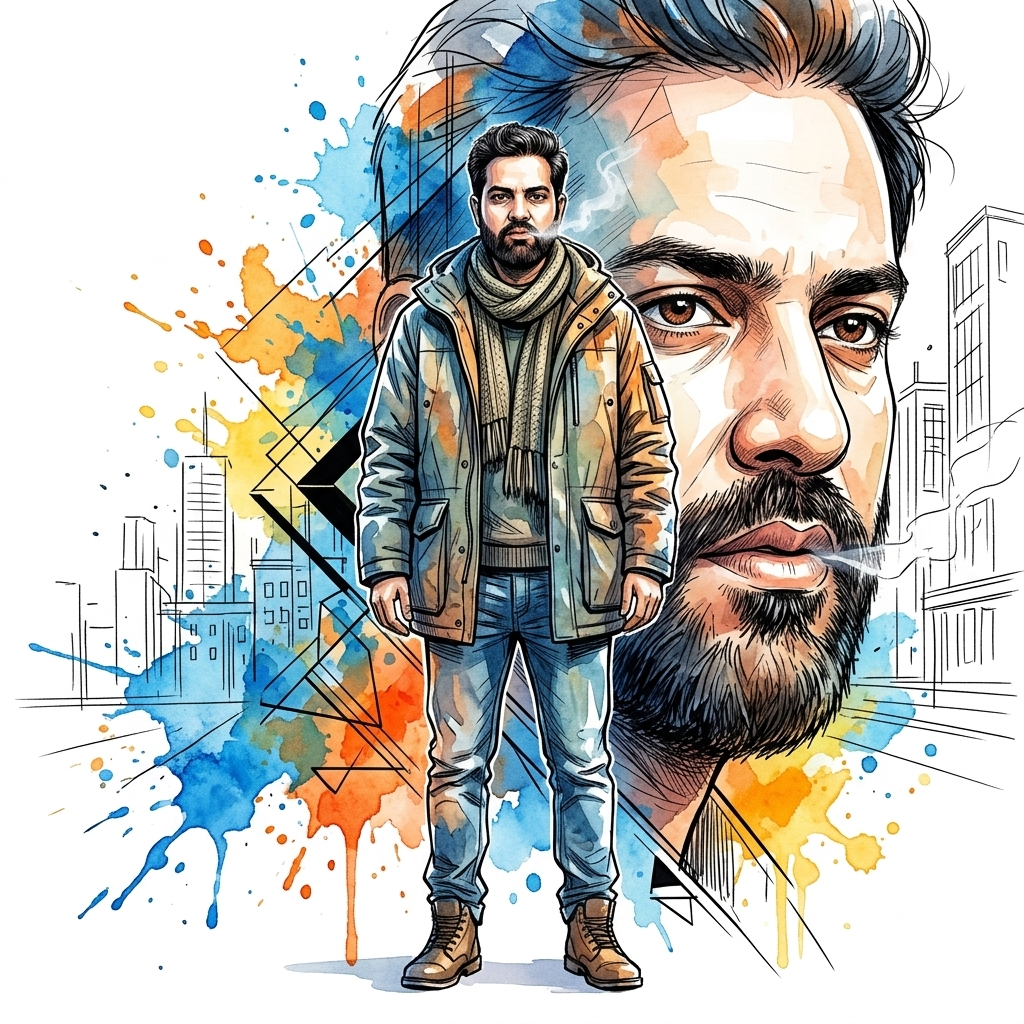
Copy the Male Watercolor Prompt Below
The Metropolitan Grace (Female Dual-Composition Layout)
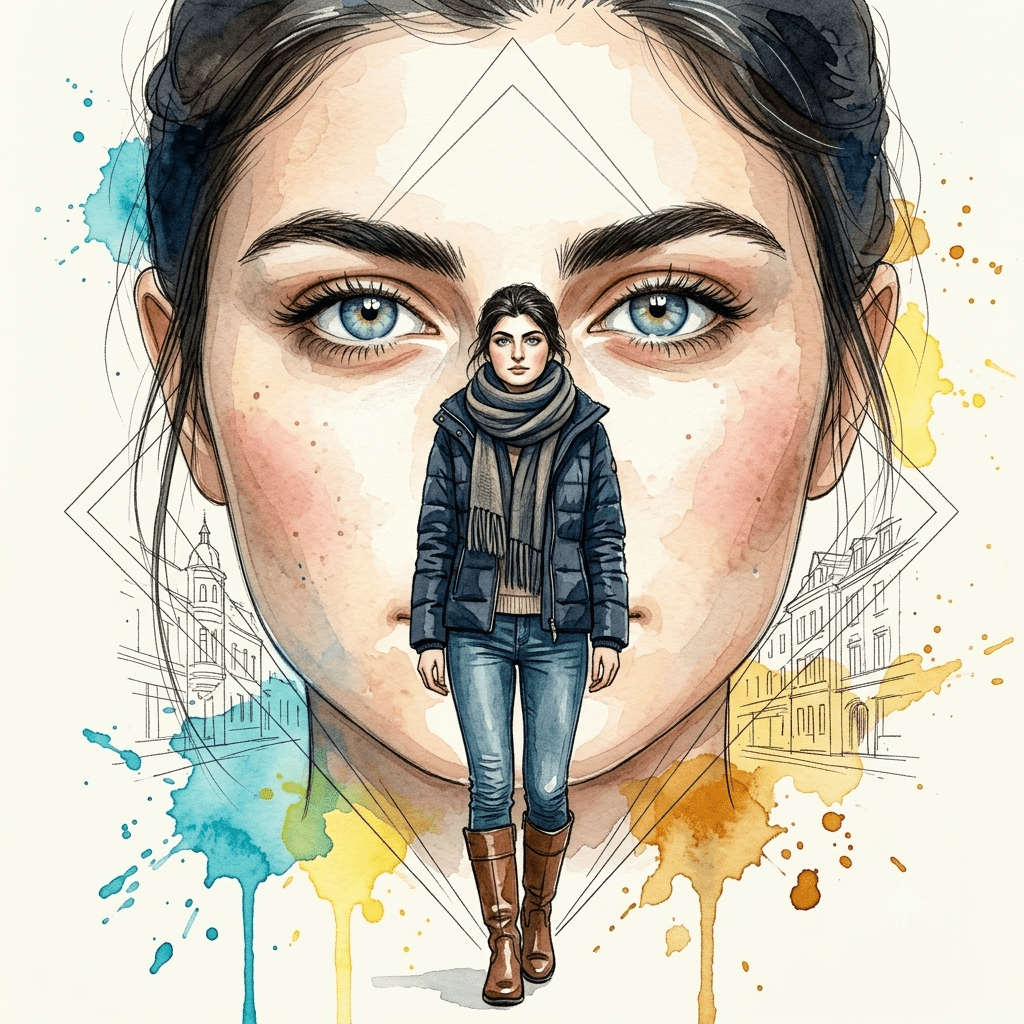
Copy the Female Watercolor Prompt Below
Step-by-Step Guide to Executing Face-Lock Prompts
To get the exact results shown in viral design portfolios, users must follow a specific image-to-image pipeline:
Upload Your Source Photo: Upload a clear, well-lit portrait of yourself or your subject to a public image hosting platform, or upload it directly into your Discord server if using Midjourney.
Copy the Direct URL: Right-click the uploaded image and copy the direct link (the URL must end in an image format extension like
.jpgor.png).Assemble the Prompt String: Paste the direct image link into the text input box of your AI tool, hit space, and then paste the entire Watercolor Character Portrait text prompt provided above.
Adjust the Parameters (Optional): If operating in Midjourney, you can append the character weight parameter
--cw 100at the very end of the prompt to force the system to pay maximum attention to the reference face, and add--ar 3:4or--ar 16:9depending on your required final output layout.
Creating Viral Short-Form Videos from Mixed-Media Art
This dual-composition watercolor aesthetic is a massive goldmine for generating highly engaging, viral vertical videos (9:16) for YouTube Shorts, Instagram Reels, and TikTok.
The Face-to-Art Transformation Reveal: Start your video track by displaying the raw, unedited reference photo of the person for the first 1.2 seconds. Use a bold text overlay stating: “Turning my real photo into gallery watercolor art.” On the beat drop of a trending cinematic audio track, transition instantly to the final 8K split-screen watercolor render. The stunning jump from a standard photo to an intricate full-body + close-up artwork creates a massive visual hook that drives saves and shares.
The Animated Split-Layer Zoom: Upload your finalized portrait asset into a dynamic image animation tool like Luma Dream Machine or Runway Gen-2. Instruct the camera to perform a very slow, continuous zoom-in towards the central full-body character while keeping the background close-up portrait softly drifting. This creates an optical illusion that highlights the depth of the watercolor splatters and geometric lines, boosting video watch time metrics significantly.
Conclusion
The massive popularity of the watercolor character portrait trend proves that audiences crave digital art that feels deeply personal, expressive, and structurally complex. By moving away from basic, single-subject text inputs and adopting this professional Watercolor Character Portrait dual-composition framework, you can effortlessly turn any standard reference photo into a stunning, gallery-ready masterpiece. Secure your image assets, inject these optimized mixed-media prompt templates into your workflow, and start scaling your digital brand’s creative library today!
Create Your Own AI Art Now!
Use our powerful, custom-built AI Prompt Generation tool to turn your words into masterpieces instantly.
Try Our AI Tool 🚀Create Your Own AI Portfolio Now!
Use our powerful, custom-built AI Portfolio Generation tool to turn your words into masterpieces instantly.
Try Our AI AI Portfolio 🚀