3 Hyper Realistic Clay Hand Sculpture Prompts for Flawless AI Art
There is something incredibly satisfying about the raw, earthy feel of sculpted clay. In a world full of flat digital illustrations, western audiences across the USA and Europe are shifting heavily toward tactile, physical-looking aesthetics. Whether you are building an online design portfolio, creating engaging Pinterest boards, or selling digital mockups to high-end pottery and art studios, using professional Hyper Realistic Clay Hand Sculpture Prompts is the ultimate way to catch their attention.
The main challenge when rendering clay with generative AI is capturing the physical physics of the material. To master Hyper Realistic Clay Hand Sculpture Prompts, you need to think like a professional sculptor and a studio photographer simultaneously. Your text strings must instruct the engine to render the micro-textures—the tiny thumbprints left by the artisan, the subtle cracks of semi-dry terracotta, and the soft sheen of wet slip on a pottery wheel.
Let’s break down three premium Hyper Realistic Clay Hand Sculpture Prompts that you can use right now to generate mind-blowing, studio-grade art for free.
The Premium Clay Sculpture Prompt Collection
These copy-paste templates are engineered with macro lens physics, specific material textures, and professional studio lighting setups to avoid flat, synthetic-looking outputs.
Prompt 1: The Artisan's Touch (Wet Clay & Wheel)
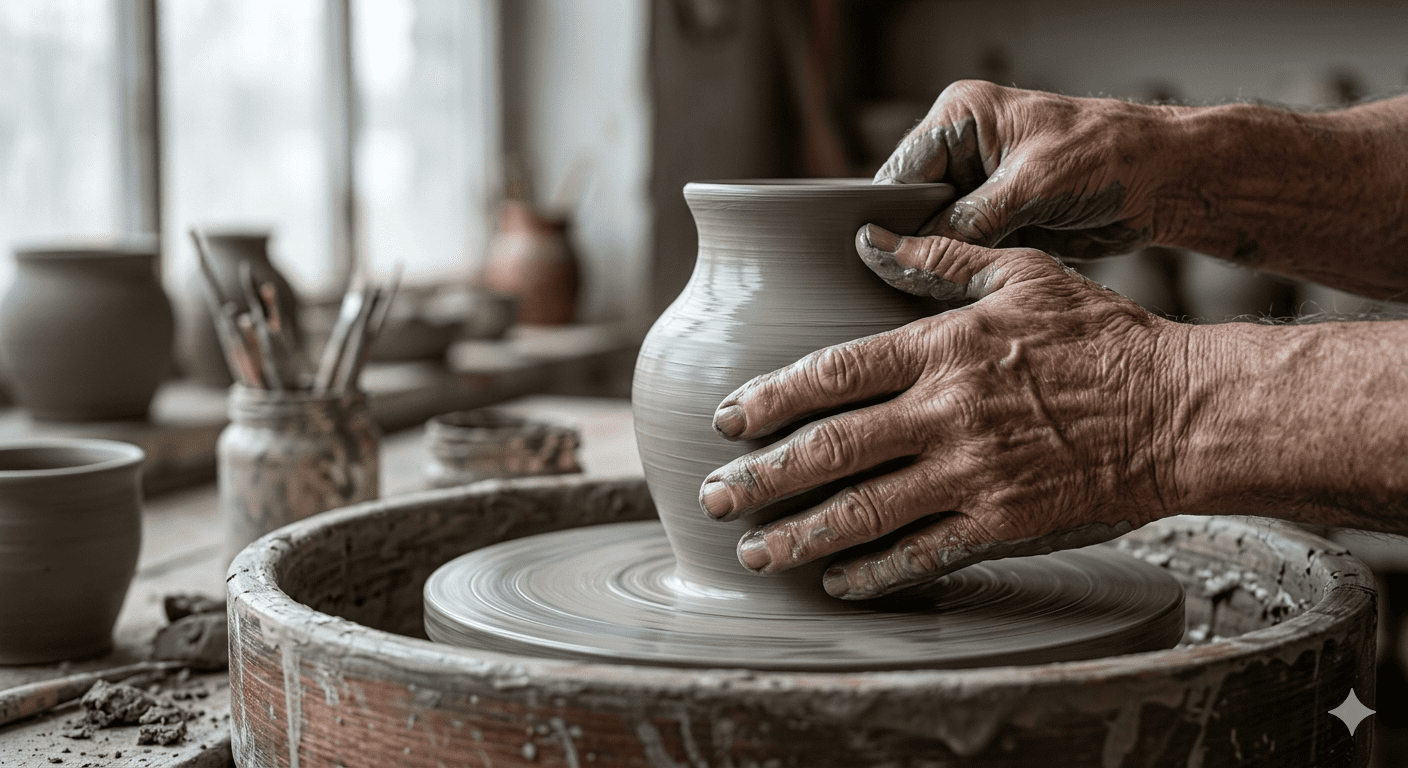
Copy the First Sculpture Prompt Below
Prompt 2: The Surrealist Intertwined Hands (Terracotta Crackle)
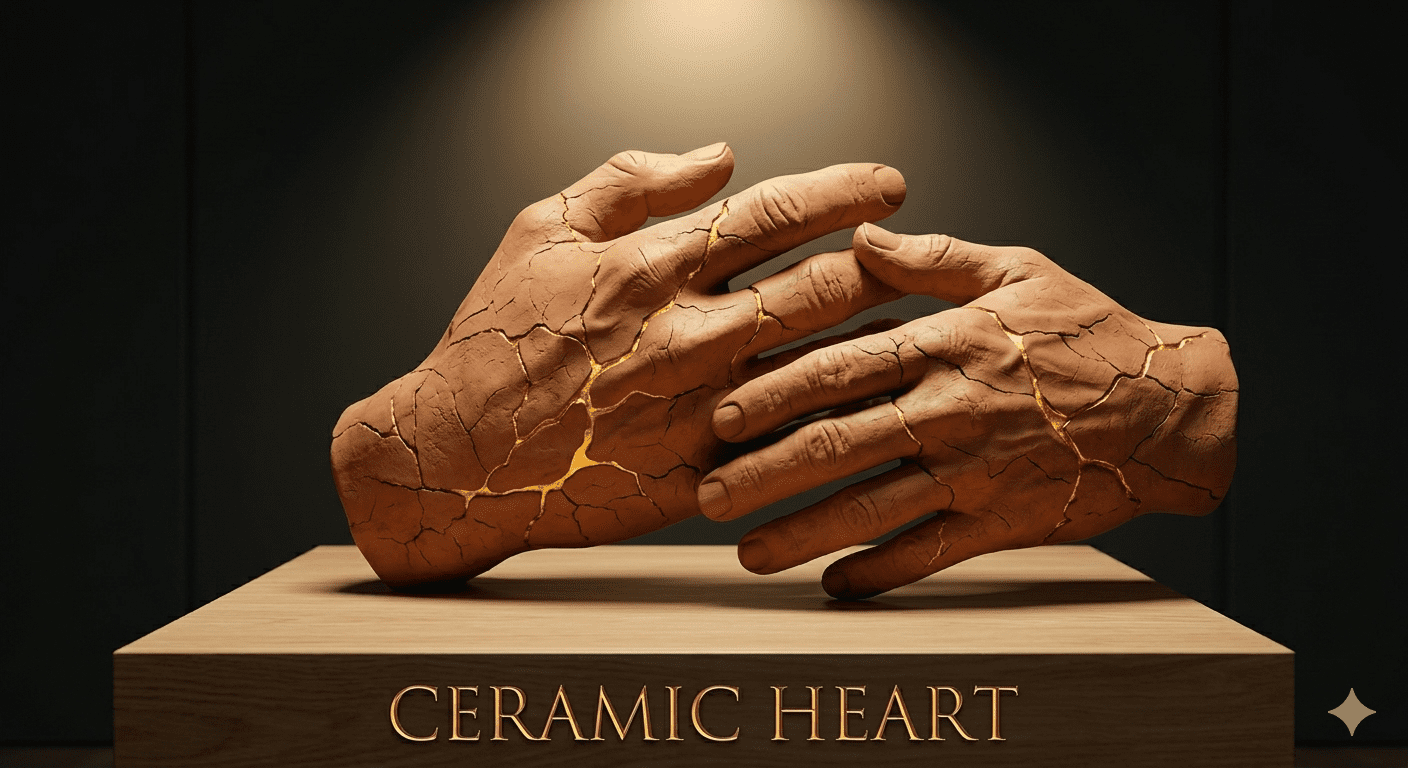
Copy the Second Sculpture Prompt Below
Prompt 3: The Botanical Dream (Fairy-Tale White Clay)
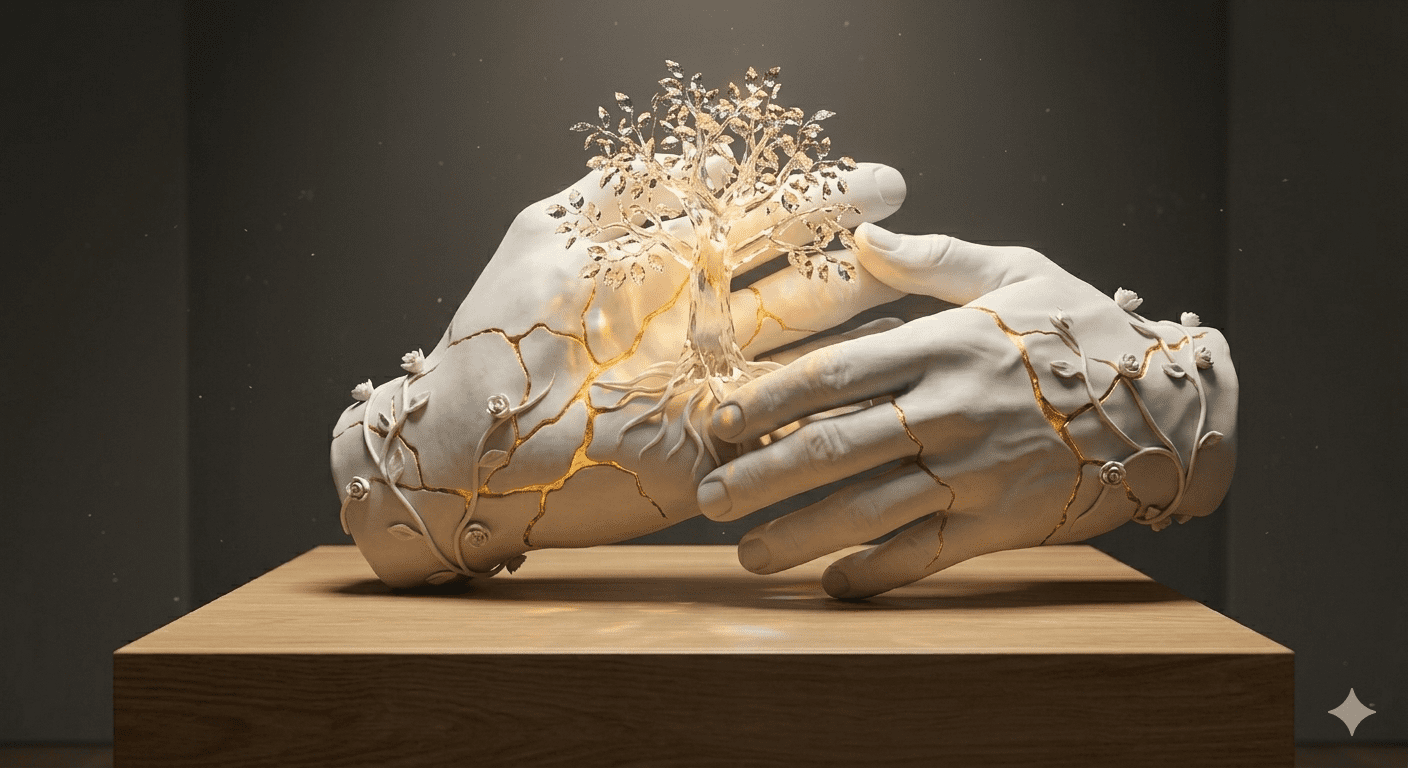
Copy the Third Sculpture Prompt Below
Step-by-Step Guide: Generating Tactile Art for Free
When running these Hyper Realistic Clay Hand Sculpture Prompts inside free or paid image generators, adjusting your platform settings ensures you get that heavy, authentic physical weight instead of a plastic look.
1. The Free Creator Route
Google Gemini & Bing Image Creator: Copy any of the text strings provided above and paste them directly into Gemini or Bing. Because these tools have excellent understanding of artistic vocabulary, they seamlessly process advanced terms like “matte terracotta” and “wet slip” without confusing them with human skin textures.
Leonardo AI: For an absolute professional finish for free, select the “Absolute Reality” checkpoint on your control panel. This setup ensures that the macro details—like the fine lines and micro-cracks in the dry clay—are rendered with razor-sharp fidelity.
2. Advanced Midjourney Configurations
If you are rendering inside Midjourney v6, try adding the parameter
--v 6.0alongside a lower styling value like--stylize 80. Keeping the styling lower prevents the AI from adding unwanted modern filters, preserving the raw, organic look of handmade pottery.
Vertical Feed Magic: Creating Viral Sculpture Videos
Tactile, satisfying art processes are incredibly addictive to watch. Transforming your finished 8K clay renders into short-form video assets is a proven strategy to scale your presence on TikTok, Instagram Reels, and YouTube Shorts:
The Satisfying 3D Micro-Pan: Drop your final 8K render into a motion engine like Luma Dream Machine or Runway Gen-2. Apply a slow digital camera pan that moves horizontally across the sculpture. The sight of light hitting the tiny cracks and thumbprints in slow motion is highly satisfying and drives massive watch-time metrics.
The “Process to Masterpiece” Transition: Create a 7-second CapCut clip. Show a fast montage of real-world messy pottery clay or raw sculpting mud for the first 3 seconds, then use a clean motion blur transition to reveal your hyper-realistic, glowing AI clay sculpture right on the musical beat drop.
Relaxing ASMR Storytelling: Pair your visual asset with an acoustic or ambient lo-fi track. Add a short English text overlay asking an engaging question like, “Could you believe this was made entirely with code?” to encourage viewers to flood your comment section.
Smart Tweaks for Effortless Variations
The core layout of these Hyper Realistic Clay Hand Sculpture Prompts is completely modular. You can rapidly scale your website content by swapping out a few simple descriptors to build entirely new concepts:
Alter the Base Material: Find keywords like “wet grey clay” or “matte terracotta” and change them to “rough volcanic stoneware”, “polished white marble”, or “translucent jade porcelain” to completely change the artistic value.
Swap the Internal Objects: In the botanical prompt, change the “glowing crystalline oak tree” to a “miniature clockwork brass city” or a “floating obsidian galaxy” to instantly jump from fantasy art to sci-fi steampunk themes.
Change the Focus: Swap out the word “hands” for “mythical dragon eggs”, “ancient warrior masks”, or “minimalist human faces” to expand your platform’s design category instantly.
Conclusion
Bringing the authentic, tactile beauty of manual sculpting into the digital space is all about understanding material physics and studio lighting. By experimenting with these Hyper Realistic Clay Hand Sculpture Prompts, you provide your audience with professional, production-ready assets that look like they belong in a premium New York art gallery. Choose your favorite material texture, tweak the lighting angles to match your website theme, and start generating world-class digital craft assets today!
Create Your Own AI Art Now!
Use our powerful, custom-built AI Prompt Generation tool to turn your words into masterpieces instantly.
Try Our Free AI Tool 🚀Create Your Own AI Portfolio Now!
Use our powerful, custom-built AI Portfolio Generation tool to turn your words into masterpieces instantly.
Try Our Free AI Portfolio 🚀
If your cyberpunk images continuously turn into the same wet alleyway drenched in cyan and pink neon, or your sci-fi […]

Anime AI Prompts: Complete Image & Video Guide Expressive eyes, hand-drawn aesthetics, dynamic movement, and rich world-building make anime one […]
Surreal & Conceptual AI Art Prompts: Complete Image & Video Guide Dreamlike scenes, impossible objects, and unexpected visual combinations can […]