Cinematic Mystical Genie Prompts are the ultimate way to unlock your creative imagination and bring ancient fairy tales to life. Have you ever dreamed of finding a magical oil lamp, rubbing it, and watching a magnificent spirit appear in a swirl of glowing smoke? Today, you don’t need a real magic lamp to experience that wonder. All you need is a free AI tool and a bit of creativity!
In this super simple, step-by-step guide, we will teach you how to create breathtaking, movie-like fantasy artwork of genies. The best part? You don’t need to spend money on expensive paid platforms like Midjourney or Leonardo AI. We are going to show you how to achieve professional, mind-blowing results completely for free using everyday tools like Google Gemini and ChatGPT!
Whether you are a school student, a digital artist, or just someone who loves magic, this guide is written just for you. Let’s dive in and make some magic!
Why Use Free AI Tools for Fantasy Art?
Many people think you need to pay for premium software to generate high-quality 8K graphics. That is a total myth! Free AI generators have become incredibly powerful today.
By using our specially crafted Cinematic Mystical Genie Prompts, you can command free AI systems to focus on deep textures, cinematic lighting, and realistic details without spending a single dollar. It is fast, easy, and completely free.
Prompt 1: The Mystical Female Genie
This first option from our Cinematic Mystical Genie Prompts collection creates a stunning, elegant female genie emerging gracefully from an ancient lamp. She is surrounded by glowing magical mist and beautiful energy.
Copy the Female Cinematic Mystical Genie Prompts Below:
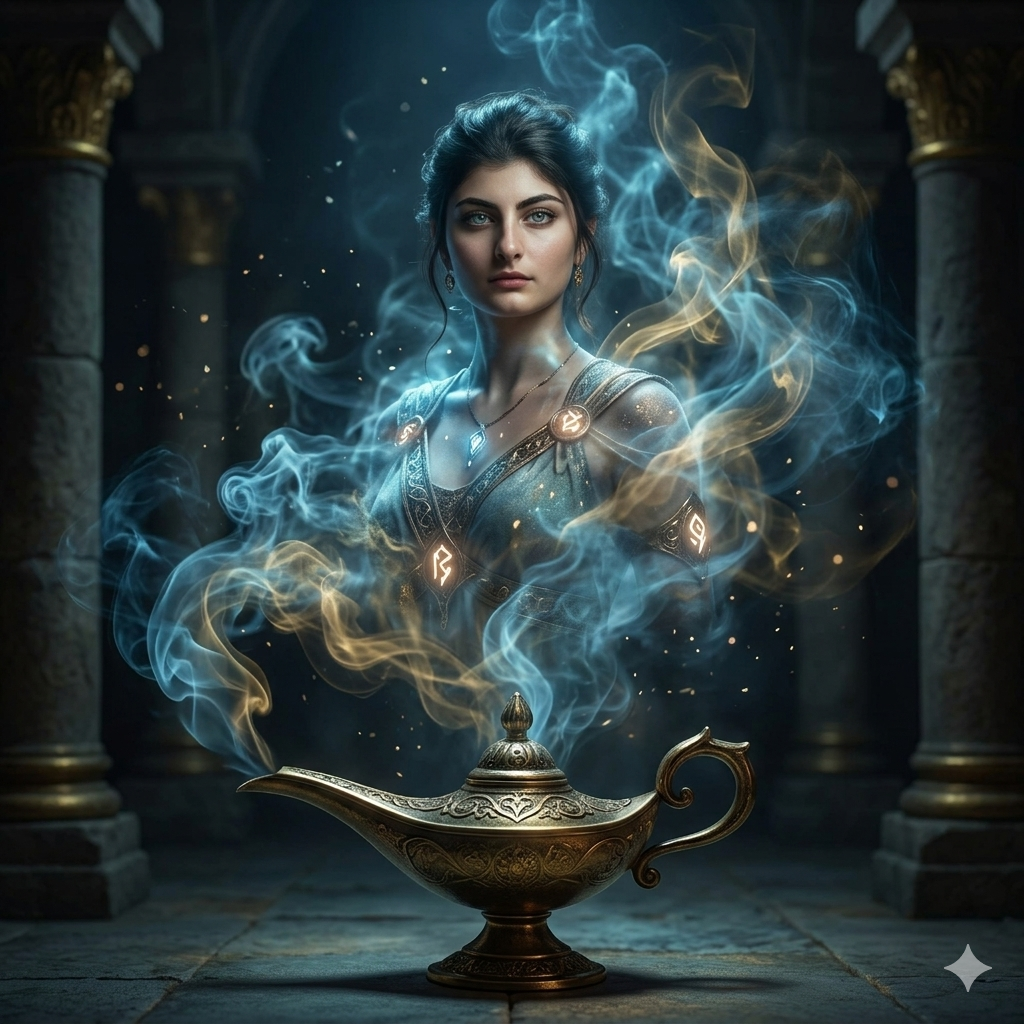
Let’s Break It Down (In Simple Words!)
If you are wondering why this prompt is so long, here is what those big words actually mean to the AI:
Emerging from a lamp: Tells the AI exactly where the genie is standing.
Volumetric lighting & Volumetric fog: This creates that thick, moody, movie-theater style fog where beams of light cut through the darkness.
Cinematic rim light: Imagine a bright light placed right behind the genie. It makes the edges of her hair and shoulders glow beautifully!
Subsurface scattering: This is a fancy term that tells the AI to make the skin look real, letting a little bit of light pass through it just like human skin does in real life.
Prompt 2: The Powerful Male Genie
This second option from our Cinematic Mystical Genie Prompts set creates a strong, heroic male genie coming out of a golden lamp with sharp features and intense magical energy.
Copy the Male Cinematic Mystical Genie Prompts Below:
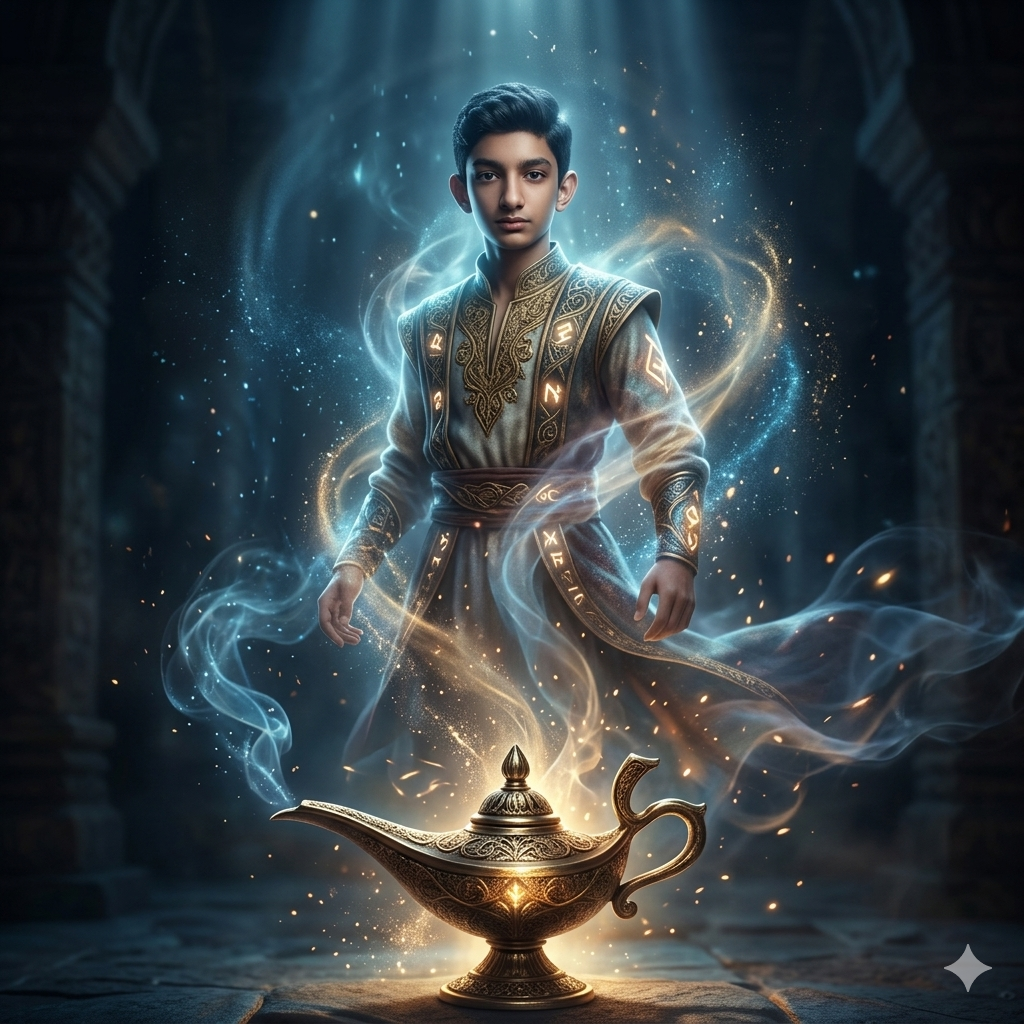
Let’s Break It Down (In Simple Words!)
Slight low angle: This tells the camera to look slightly up at the genie, making him look tall, powerful, and heroic.
Negative Prompt: This is a list of things we don’t want. By telling the AI “no cartoon” and “no blurry face,” we force it to give us a sharp, realistic, high-quality image instead.
How to Use These Prompts For Free
Ready to create your artwork? Just follow these simple steps:
Select Your Free Tool: Open your web browser and go to Google Gemini or ChatGPT (make sure you are using their image generation feature, like DALL-E 3 inside ChatGPT or Imagen inside Gemini).
Copy and Paste: Choose one of the two prompts above, copy the entire block of text, and paste it into the chat box.
Hit Enter & Wait: Click the send button. Give the AI about 10 to 15 seconds to cook up your magical masterpiece.
Download Your Art: If you love the result, click the download button to save it to your phone or computer in full quality!
How to Turn Your Genie Images into Viral Videos
Do you want to share your creation on TikTok, Instagram Reels, or YouTube Shorts? You can easily turn these still images into moving videos using free AI video tools like Runway Gen-2 or Luma Dream Machine. Here is how:
The Smoke Awakening: Upload your generated genie image into a free video generator. Use the “Motion Brush” tool to paint over the smoke. This tells the AI to keep the genie still while making the magical smoke billow and swirl around the screen dynamically!
Magical Reveal Transition: Start your video with a completely pitch-black screen showing only a glowing golden lamp. Suddenly, let the video transition into your full genie artwork with a flash of light.
Add Sound Effects: Pair your short video with mysterious, Arabian-themed ambient background music and a deep, cinematic voiceover to instantly hook your audience.
Flaws & Limitations of Free AI Tools (And How to Fix Them)
While free tools are amazing, they aren’t always perfect. Here are a few common issues you might run into and how a pro fixes them:
The Finger Problem: Sometimes, the AI gets confused and gives the genie six fingers or strange-looking hands.
Fix: Don’t panic! Simply click the “Regenerate” button or reply to the AI saying: “Fix the hands and make them look normal.”
Face Distortion: If the face looks a bit blurry or unnatural, the AI might have missed the details.
Fix: Zoom in or type a follow-up instruction like: “Enhance the details on the face and make the eyes sharper.”
Pro-Tips for Mind-Blowing Results
Want to take your artwork to the absolute absolute top tier? Try these little tweaks:
Change the Background Color: Inside the prompt, change the phrase “soft blue and warm gold contrast” to “neon purple and fiery red contrast” to get a completely different, energetic mood.
Add a Specific Culture: You can change the scenery by adding keywords like “ancient Egyptian tomb interior” or “futuristic neon city background” to blend history with sci-fi!
Conclusion
Creating high-end fantasy artwork doesn’t require an expensive subscription anymore. By utilizing these Cinematic Mystical Genie Prompts, anyone can transform a simple text box into a gorgeous, movie-quality visual. Play around with the settings, try them out on different free platforms, and start building your own collection of digital magic today!
Create Your Own AI Art Now!
Use our powerful, custom-built AI Prompt Generation tool to turn your words into masterpieces instantly.
Try Our Free AI Tool 🚀Create Your Own AI Portfolio Now!
Use our powerful, custom-built AI Portfolio Generation tool to turn your words into masterpieces instantly.
Try Our Free AI Portfolio 🚀