If your cyberpunk images continuously turn into the same wet alleyway drenched in cyan and pink neon, or your sci-fi scenes look like generic silver spaceships, the prompt structure may be a major factor in why the results look generic. This guide shows you how to create sci-fi and cyberpunk AI prompts for images and videos that yield consistent, distinctive visuals.
Most AI models default to recognizable clichés when given broad instructions. To get precise, cinematic, and distinctive visuals, you must guide the model through structural detail, material textures, camera angles, and believable light sources.
In this practical guide, we will break down the essential framework for writing sci-fi and cyberpunk prompts, explore five practical prompt categories, analyze 10 practical examples (for images and video), and show you how to adapt them for your own creative projects.
The Core Prompting Framework
A strong AI prompt functions like a shot list for an art director. Instead of relying on vague quality buzzwords or resolution terms like “hyperrealistic,” “masterpiece,” or “8K”—which do not guarantee aesthetic quality or compositional control—structure your description using this simple formula:
Add tool-specific parameters when supported
Subject: Define who or what is the primary focus (e.g., a municipal data auditor with subtle neck ports).
Environment: Name the physical setting, materials, and atmosphere (e.g., a subterranean concrete bunker with suspended copper conduits).
Lighting: Specify explicit light sources rather than vague colors (e.g., harsh tungsten overhead lamps or monochrome amber screen glow).
Camera: Instruct the AI on focal length and angle (e.g., 35mm low-angle shot or anamorphic wide lens).
Engine Parameters: Include tool-specific controls when applicable (e.g.,
--ar 16:9for Midjourney).
Note on Parameters: The
--ar 16:9syntax used in these examples is specific to Midjourney. If you are using Google Gemini, Imagen, DALL-E, or UI-based tools, select your aspect ratio using the platform’s settings menu or remove this parameter.
Category 1: Cyberpunk Street Life & Low-Life Survival
Cyberpunk is built on the concept of “High Tech, Low Life.” Rather than focusing purely on grand cityscapes, explore how everyday people interact with technology in decaying urban environments.
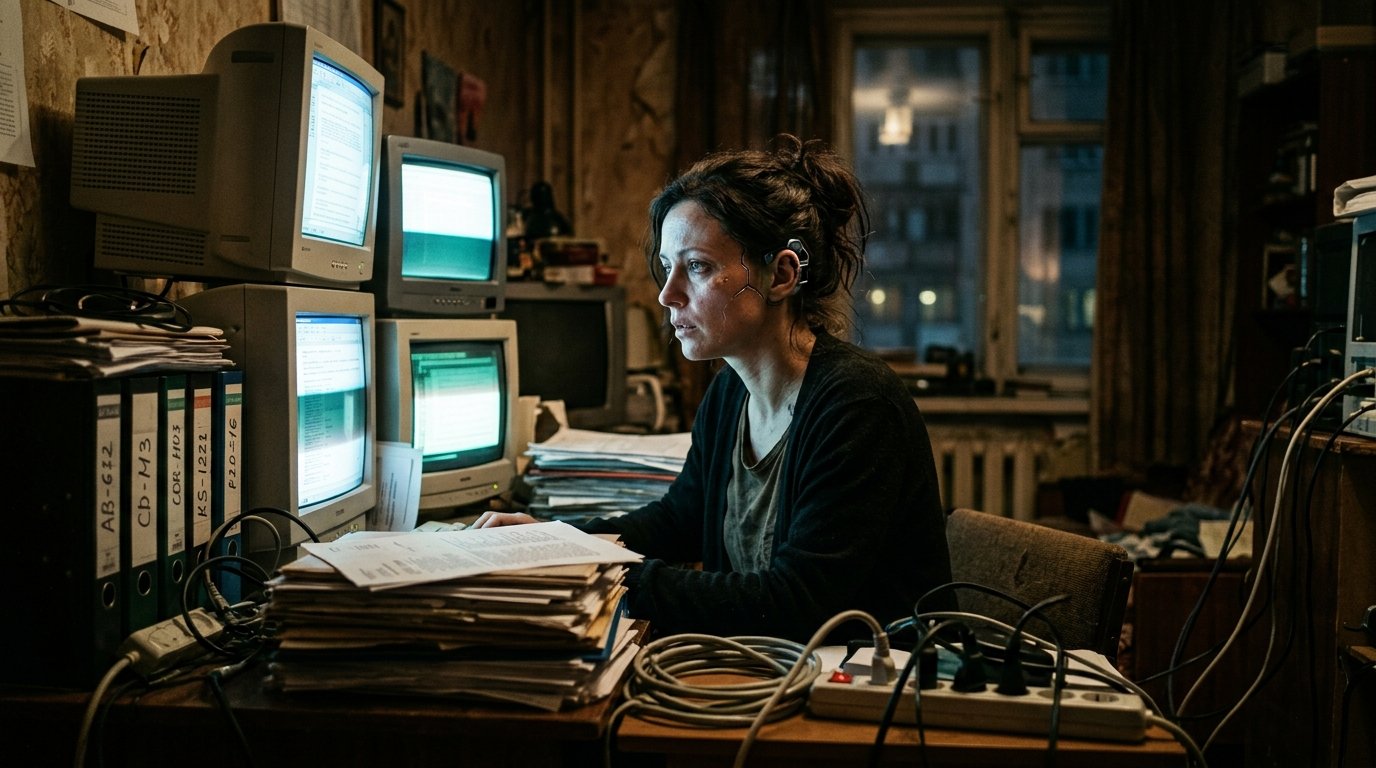
Example 01: The Municipal Data Auditor
Prompt: A low-angle 35mm portrait of an overworked municipal data auditor sitting inside a cramped apartment office. Dozens of glowing CRT monitors cast a pale blue flickering light across her face, highlighting subtle cybernetic input ports behind her ear. Stacked paper files and tangled optic cables clutter the desk. Moody atmospheric grain, deep shadow contrast, warm background shadows –ar 16:9
Why It Works: Contrasting modern cybernetics with aged CRT monitors and paper files gives the scene an authentic, lived-in feel.
How to Tweak: Change
pale blue flickering lighttomonochrome amber glowfor an 80s retro-computing visual style.
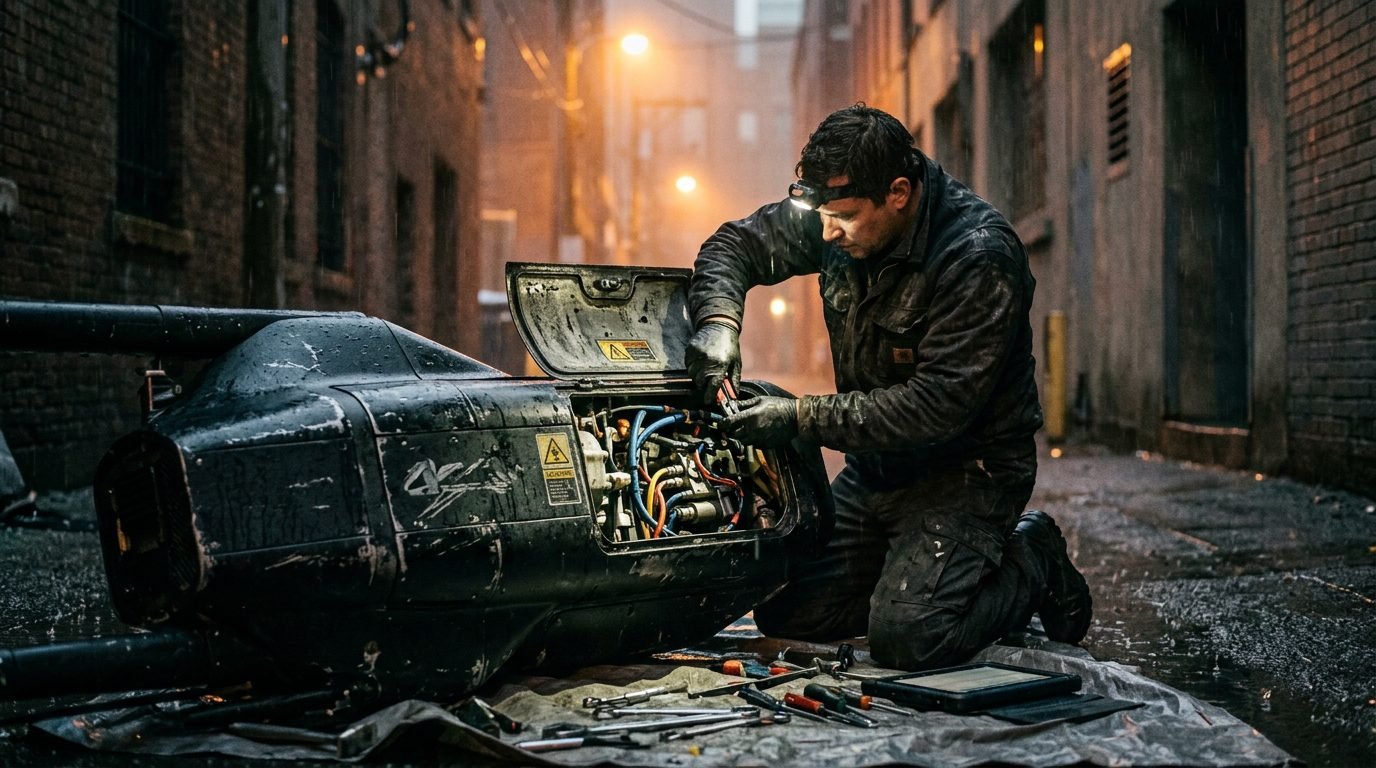
Example 02: Back-Market Cybernetics Repair Stall
Prompt: Medium shot of a street technician leaning over an open maintenance panel of a scuffed, heavy-duty utility drone in a wet back alley. Rain-slick asphalt reflects dull sodium-vapor streetlights. Exposed wiring, grease-stained tools, matte black drone chassis with visible wear along mechanical joints. 50mm film lens, atmospheric haze –ar 16:9
Why It Works: It replaces shiny futuristic tropes with mechanical wear, grease, and rain reflections.
How to Tweak: Replace the drone with a mechanical prosthetic arm to shift the focus to human repair.
Category 2: Corporate Dystopia & Biometric Control
Corporate power and constant surveillance are central pillars of dystopian sci-fi. Focus on mass control, biometric security, and towering architectural structures.
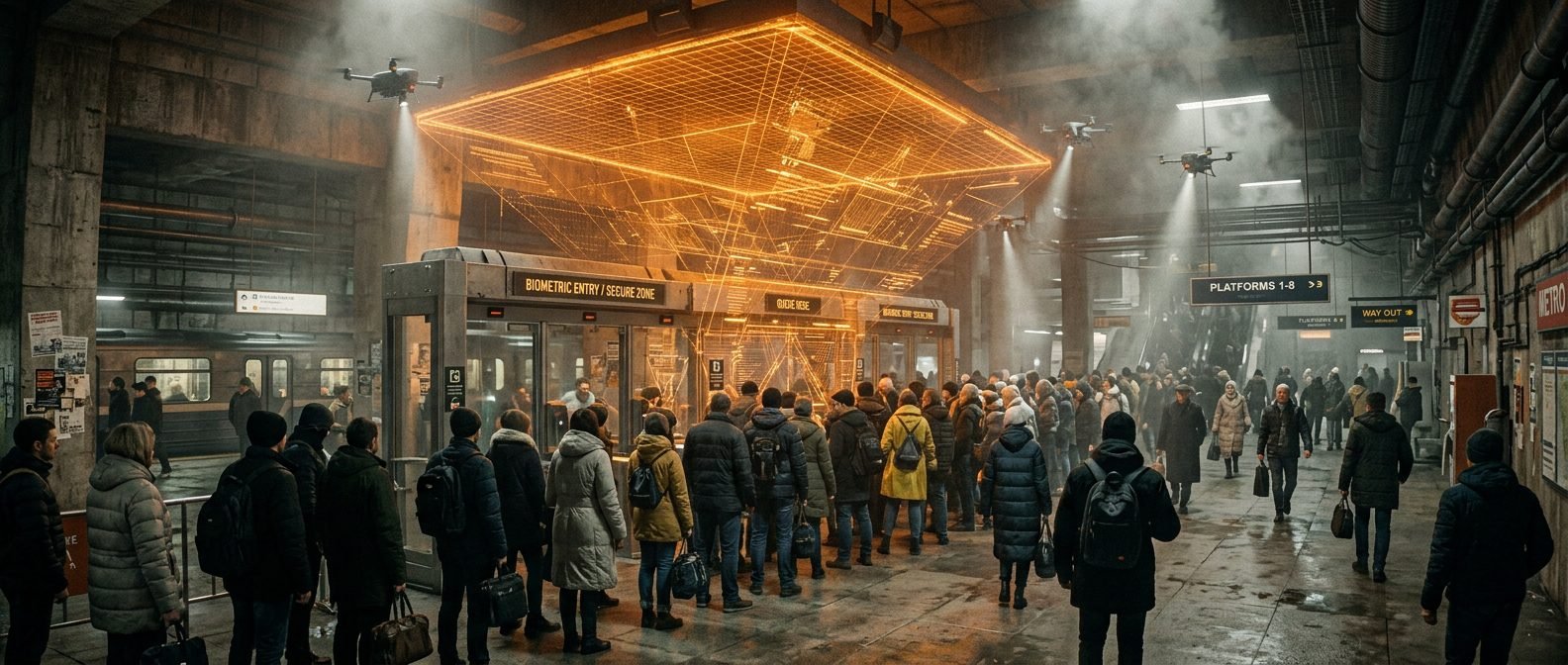
Example 03: Biometric Transit Checkpoint
Prompt: Wide shot of a biometric security gate inside a crowded underground transit station. Commuters in weather-resistant coats stand in line under a massive orange holographic scanner grid. Drones hover overhead emitting tight downward spotlights through a haze of exhaust. Industrial brutalist concrete architecture, harsh amber hazard lighting –ar 21:9
Why It Works: Specifying brutalist concrete and amber hazard lighting can help move the generator away from defaulting to standard pink and cyan colors.
How to Tweak: Change the holographic scanner color to cold white to make the environment feel more sterile and clinical.
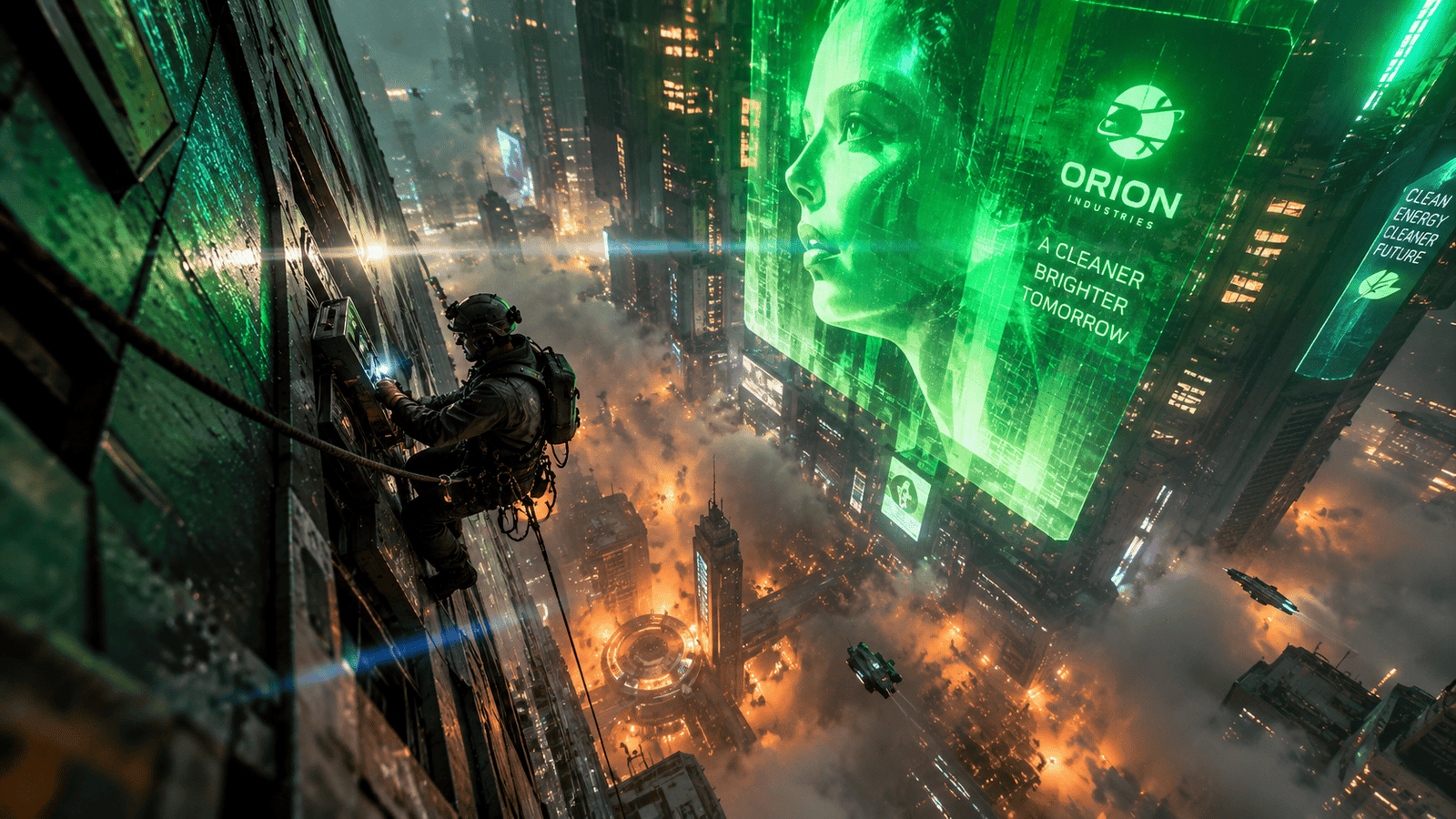
Example 04: High-Rise Infrastructure Maintenance
Prompt: Extreme high-angle wide shot of a line technician tethered to the exterior sheer wall of a 100-story megastructure. Far below, the city floor is obscured by glowing industrial smog. Above, corporate advertisements cast massive green holographic light across wet metallic wall panels. Anamorphic lens flare, dramatic depth of field –ar 16:9
Why It Works: Extreme vertical framing creates instant visual scale and a feeling of depth.
How to Tweak: Swap the daytime smog for blue-hour twilight to emphasize city light reflections on the building facade.
Category 3: Deep Space Architecture & Orbital Industry
Hard science fiction often benefits from tangible engineering details, scientifically informed environments, and consistent physical rules.
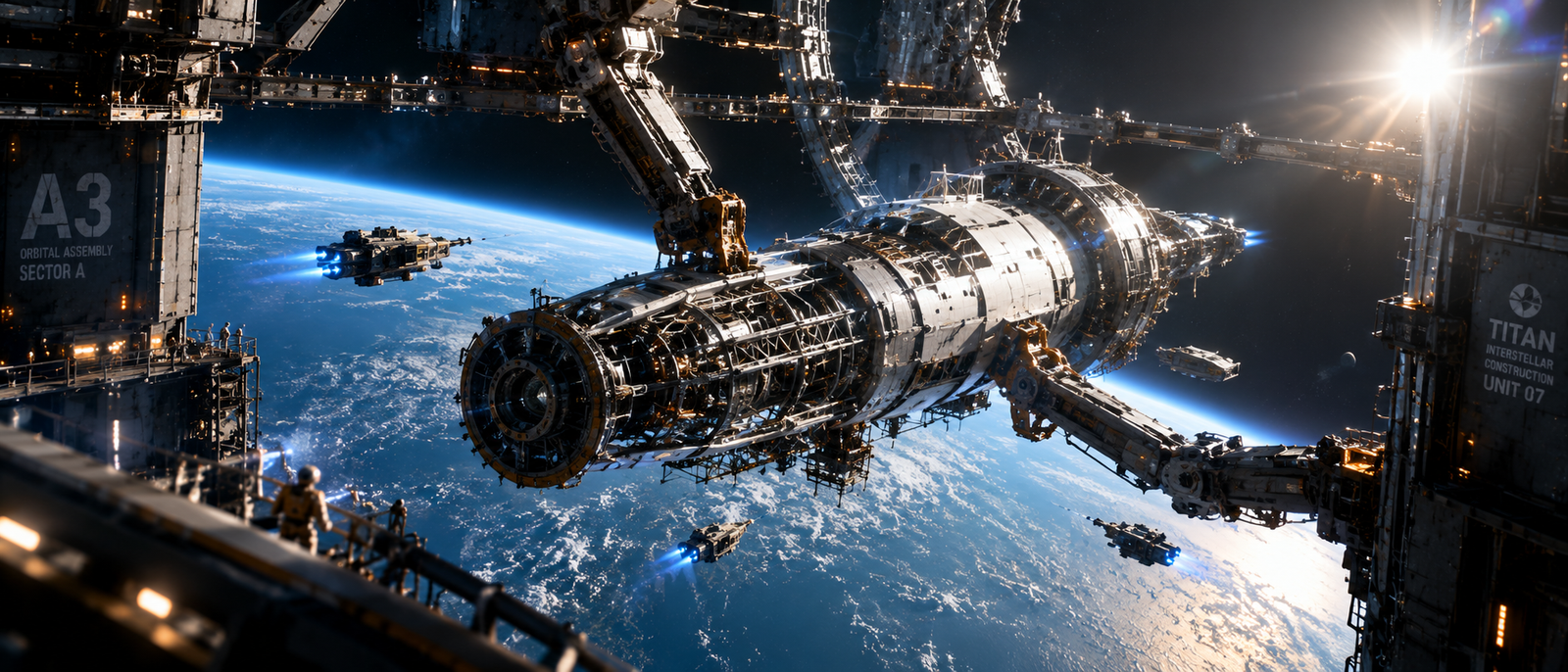
Example 05: Orbital Shipyard Construction
Prompt: Wide shot of an orbital construction frame floating in space above an earth-like planet. A half-finished interstellar vessel is held in place by giant mechanical docking arms. Small tugcraft emit bright thruster plumes in zero gravity.Direct sunlight cuts across structural steel, creating strong high-contrast shadows in the airless environment. –ar 21:9
Why It Works: Specifying direct sunlight and strong shadow contrast can help communicate the lighting conditions of an airless environment.
How to Tweak: Change the background planet to a ringed gas giant to shift the setting deeper into the solar system.
Example 06: Asteroid Mining Operation
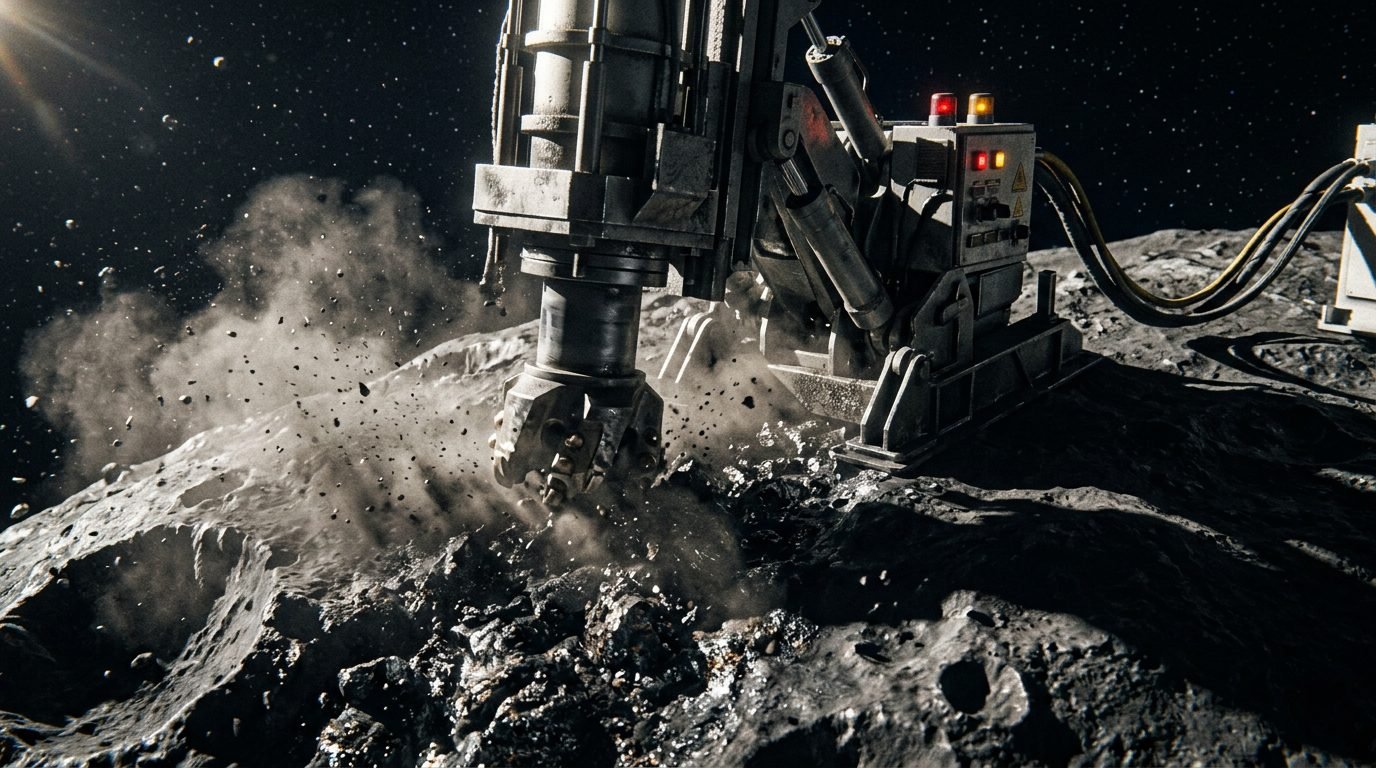
Prompt: Close-range exterior shot of a heavy mining rig anchored into the pockmarked surface of a metallic asteroid. Massive mechanical drill bits cut into metallic rock veins, sending showers of dust particles drifting into zero gravity. High-contrast directional sunlight, dark shadow detail, industrial aerospace hardware –ar 16:9
Why It Works: Focusing on functional industrial elements (drills, anchor clamps, dust drift) makes speculative technology feel practical.
How to Tweak: Add a human operator visible inside a reinforced cockpit glass bubble.
Category 4: Alien Biomes & Speculative Worlds
Designing alien environments requires moving beyond standard terrestrial forests and deserts. Introduce unique lighting, bioluminescence, and unusual atmospheric hues and lighting conditions.
Example 07: Translucent Fungal Exoplanet Forest
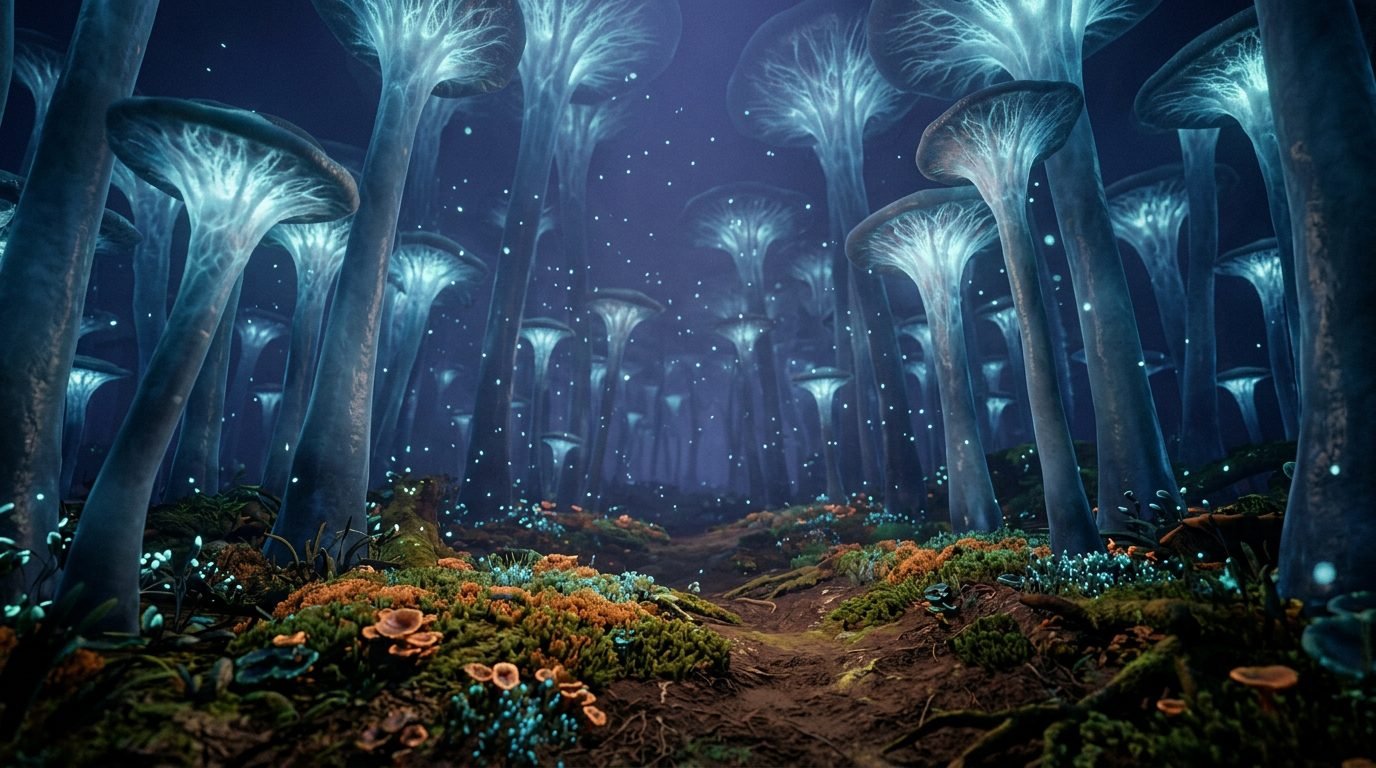
Prompt: Eye-level view inside an alien forest dominated by tall, translucent fungal structures instead of trees. Pale blue internal light pulses softly through the stems. Fine glowing spores float through a thick indigo atmosphere. Earth-toned soil covered in moss-like organism mats. Macro depth of field, subtle atmospheric haze –ar 16:9
Why It Works: Specifying translucent materials and internal lighting creates an otherworldly environment without feeling cluttered.
How to Tweak: Add a field research scientist holding a bio-scanner to turn the landscape shot into an exploration narrative.
Example 08: Sub-Surface Ice Ocean Probe
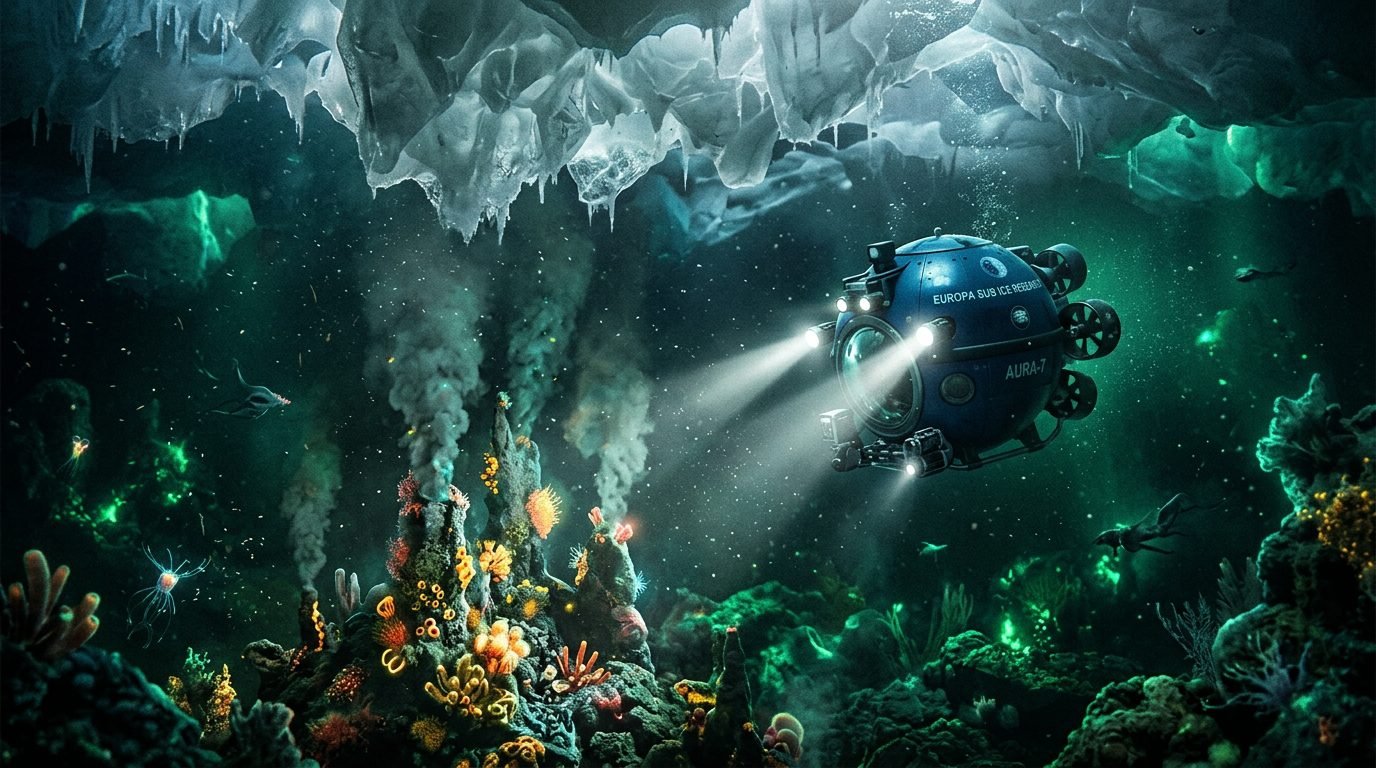
Prompt: Undersea speculative scene beneath the thick ice sheet of an alien moon. A spherical research submersible shines two powerful beam spotlights onto bioluminescent hydrothermal vents. Crystalline ice formations overhang from above. Dark deep-water environment, emerald ambient bioluminescence, particle-filled water –ar 16:9
Why It Works: Shifting from outer space to an undersea ice ocean introduces suspended particles, light scattering, and unusual bioluminescent lighting.
How to Tweak: Add aquatic alien creatures gliding through the edge of the spotlight beam.
Category 5: Dynamic Sci-Fi & Cyberpunk Video Prompts
Effective AI video prompts often benefit from describing chronological action sequences and camera movement rather than relying only on static visual descriptors
Example 09: Cyberpunk Alleyway Drone Sweep (Video)
Prompt: A sleek black inspection drone flies forward slowly down a narrow, rain-drenched alleyway. The camera follows tightly behind the drone as its downward spotlight cuts through rising steam. Neon signs on adjacent walls flicker on and off, casting alternating reflections across wet puddles. Smooth tracking shot with natural motion blur.
Motion Key: Forward camera motion paired with horizontal steam drift and flickering neon lights.
Tools to Try: Runway, ImagineArt, Kling AI, or Luma Dream Machine.
Example 10: Terraforming Tower Energy Ignition (Video)
Prompt: Wide shot of a colossal metallic tower standing in an icy landscape. A beam of intense white energy shoots straight up from the top spire into the heavy cloud layer above. A ring of vapor expands outward horizontally across the snowfield. Slow camera tilt upward.
Motion Key: Vertical energy beam launch combined with horizontal shockwave expansion and a camera tilt.
Tools to Try: Google Veo,Runway, or Luma. ImagineArt
Practical Case Study: Transforming Weak Prompts
To see how structural prompting transforms results, examine how a broad prompt can be converted into a precise description:
What Changed?
Subject: Replaced empty keywords with a specific human focal point (a street vendor cooking over a wok).
Environment: Replaced “cyberpunk city” with concrete physical architecture (elevated maglev track, yellow plastic tarp).
Lighting: Replaced generic “neon” with explicit, contrasting light sources (tungsten wok light vs. green holographic ad diffusion).
Composition: Replaced buzzwords like “8k” and “photorealistic” with precise lens framing (eye-level wide shot, 35mm lens).
What We Learned From Testing These Prompt Structures
Based on our prompt development workflow across image and video generators, several useful patterns emerge:
Material Specificity Prevents Clichés: Naming actual materials (brutalist concrete, anodized aluminum, yellow plastic tarps) helps guide the generator away from generic glossy textures.
Lighting Isolation Improves Contrast: Defining one primary light source (a streetlamp) and one secondary tint (holographic ad glow) creates clearer shadows than asking for multiple vague neon colors.
Motion Isolation Can Help With Video: Video models may handle scenes more predictably when you separate subject action from camera action (e.g., a drone flying forward while the camera tracks behind it).
Camera Directives Anchor Scale: Using focal lengths (35mm, 85mm) or perspective cues (low-angle shot) provides far more structural consistency than asking for “epic scale.”
Tool-Specific Best Practices
Different AI engines interpret instructions in distinct ways. Adapt your approach based on the generator you use:
Midjourney: Can respond well to descriptive prose and camera specs (e.g.,
35mm lens,low-angle shot). Focus on clear subject-environment relationships and use parameters like--ar 16:9.Runway: Focus on clear, positive motion descriptions. State what the camera is doing (
slow pan right,tracking camera) and what the subject is doing (steam rises,lights flicker).Google Veo: Can be useful for. Clearly describe the progression of events in sequence (e.g., “The scanner sweeps down, the light shifts color, and the gate opens”).
Expand Your Prompt Library
Mastering sci-fi and cyberpunk prompt engineering comes down to experimenting with materials, light sources, and camera perspectives. Once you understand the core framework, you can adapt these principles to any sub-genre.
Ready to generate instantly? Explore our full collection of copy-and-paste prompts in our Cyberpunk Image & Video Prompt Gallery or build your own tailored prompts using our interactive Custom Prompt Generator Tool.
About the Authors
The Prompt Home creates practical AI image and video prompt resources practical AI image and video prompts for creative workflows. Our focus is on clear prompt structure, lighting physics, and tool-specific controls.