AI Cartoon Character Prompt: 4 Incredible 3D Insect Designs
The digital art space is shifting heavily toward extreme stylistic contrast. Creators and digital marketers across the USA and Europe are moving away from traditional, flat clip-art illustrations to capture audience retention. Instead, they are leveraging hyper-detailed, high-end 3D character designs that look like they stepped straight out of a premium big-budget animated feature film. One of the absolute highest-performing niches driving clicks right now is utilizing a professional AI Cartoon Character Prompt to generate ultra-realistic, comical insect caricatures.
The true creative magic of this aesthetic relies on macro-photography simulation paired with advanced 3D render engine mechanics like Octane Render and Unreal Engine 5 subsurface shaders. By blowing up the organic textures of everyday insects—such as complex compound eyes, fuzzy chitin segments, and iridescent translucent wings—and mixing them with funny, highly expressive facial expressions, you create an instant visual hook. These assets are incredibly lucrative for high-CTR YouTube thumbnails, whimsical brand mascots, premium digital stickers, or viral short-form social content.
To help you skip hours of frustrating prompt testing, we have engineered four production-ready, master-tier prompt frameworks that deliver flawless volumetric depth completely for free.
The Master 3D Insect Caricature Prompt Collection
These copy-paste prompt setups include precise lens metrics, organic surface texture data, and high-contrast backdrop parameters to ensure studio-grade engine outputs.
Prompt 1: The Goofy, Bloodshot Housefly (Based on Image Reference)
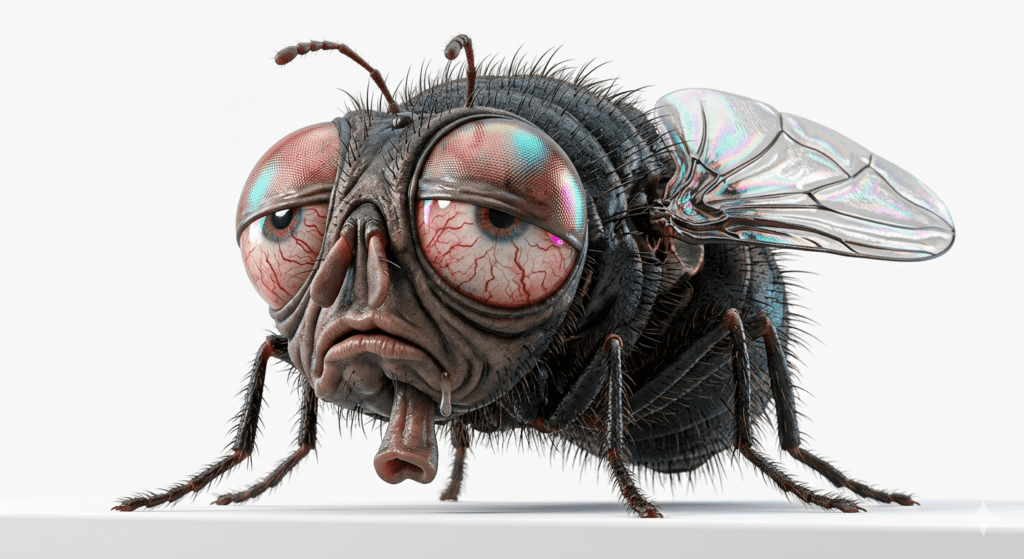
Copy the Housefly Prompt Below:
Prompt 2: The Mischievous, Skinny Mosquito
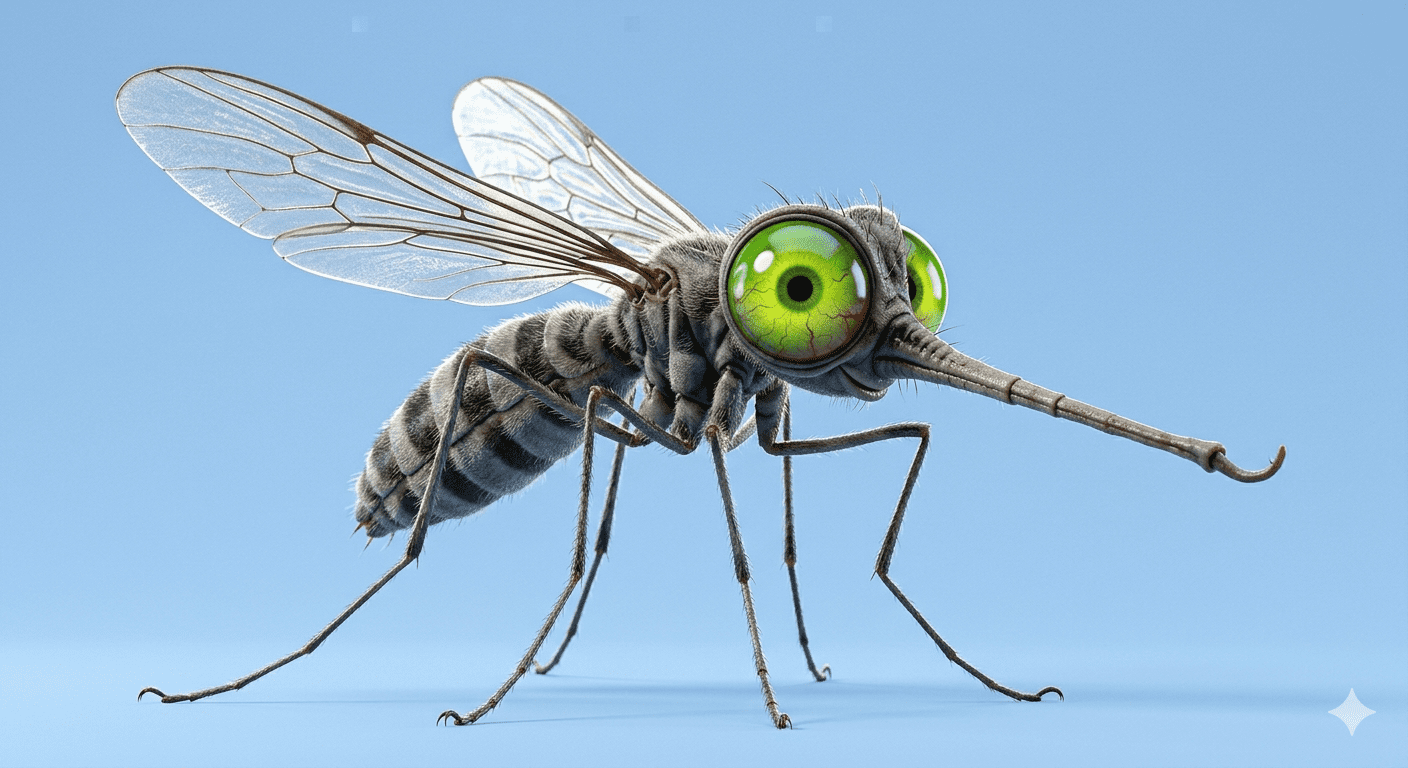
Copy the Mosquito Prompt Below:
Prompt 3: The Hardworking, Fluffy Honeybee
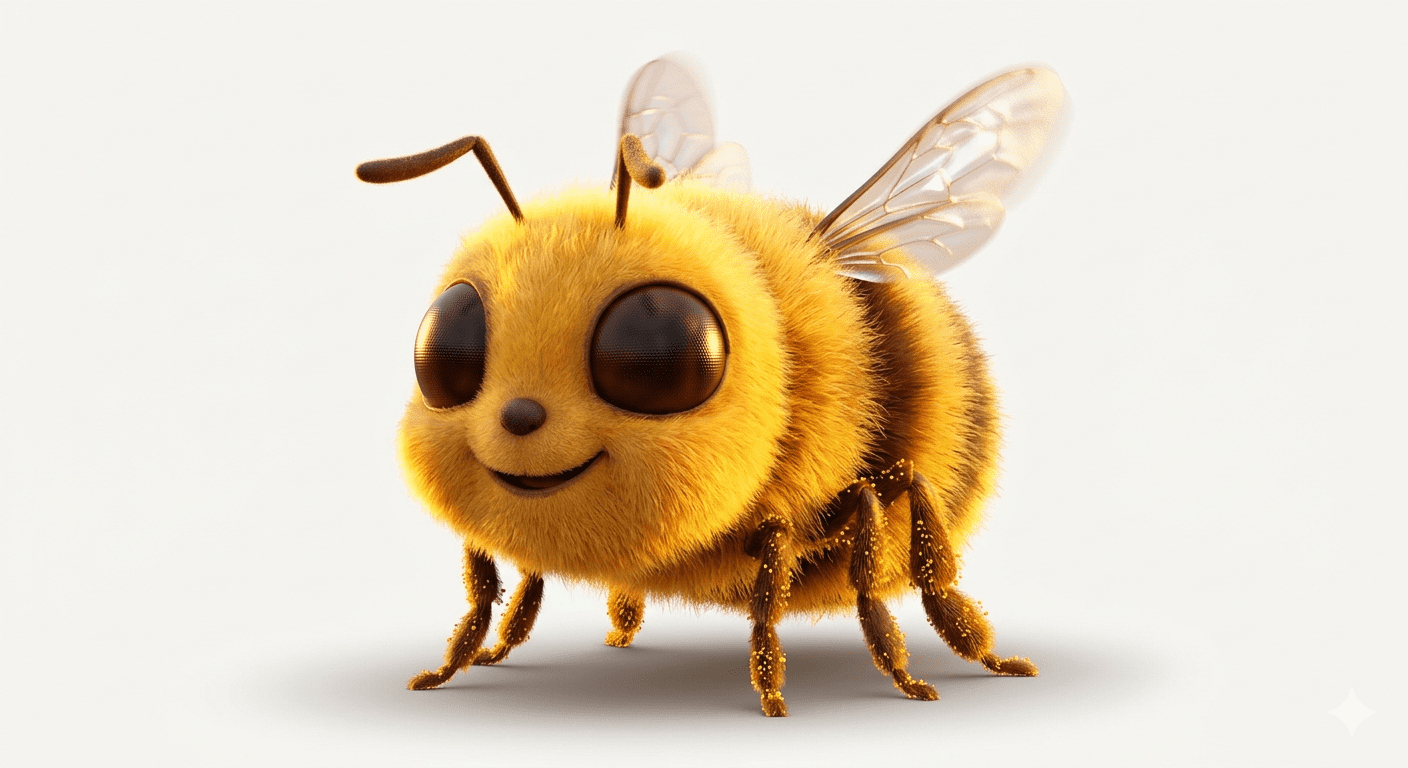
Copy the Honeybee Prompt Below:
Prompt 4: The Regal, Elegant Butterfly
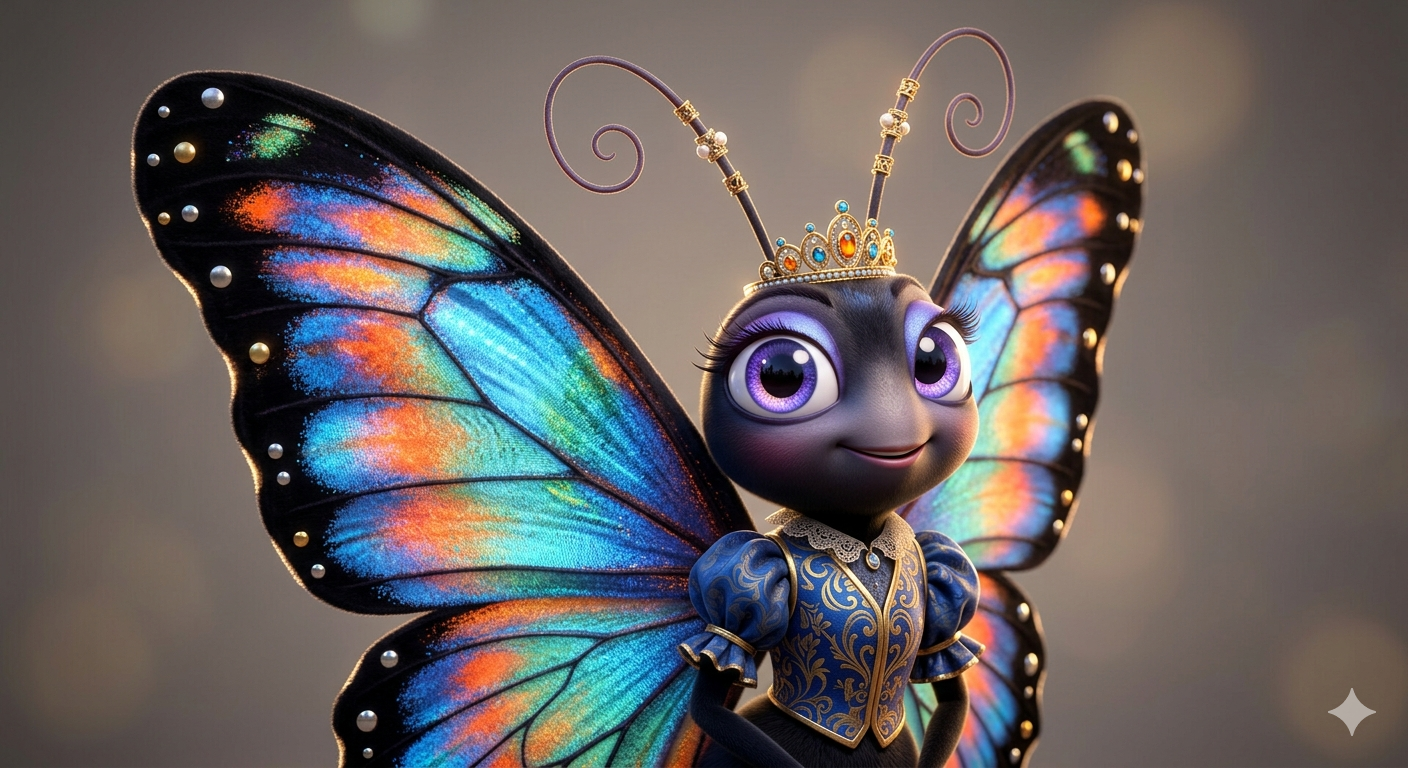
Copy the Butterfly Prompt Below:
Step-by-Step Optimization Guide for Free AI Generators
To achieve that rich, studio-grade 3D model look without dealing with complex, expensive modeling software, utilize these expert platform settings:
1. The Ultimate Free Method
Google Gemini & Bing Image Creator: These engines are exceptional at reading texture keywords. When you include phrases like “rendered in a crisp Octane look” or “chitin shaders,” the system automatically skips flat textures and applies realistic light bounces across the insect’s eyes and wings.
Leonardo AI: For an absolute top-tier finish, paste your chosen template into the prompt box and select the “3D Animation Style” or “AlbedoBase” fine-tuned models. Turn on the “Public” or “High Contrast” toggle to ensure the microscopic hairs and wing veins look crisp against the solid white backdrops.
2. Premium Commercial Methods
Midjourney v6: If you are creating high-CTR assets for professional content creators or digital marketing campaigns, use these strings exactly as written. To maximize the 3D toy/caricature finish, consider adding parameters like
--stylize 150or adjusting the aspect ratio via--ar 16:9for landscape banners or--ar 9:16for mobile screens.
Viral Video Blueprint: Animating Insects for High Engagement
These comical, big-eyed insect renders are absolute click-magnets on short-form vertical feeds like TikTok, Instagram Reels, and YouTube Shorts, especially when capturing the attention of tech-savvy Western audiences:
The Macro Evolution Hook: Take your completed 3D cartoon insect render and drop it into a high-performance video generator like Kling, Runway Gen-2, or Luma Dream Machine. Run a clean video instruction: “Keep the insect perfectly centered, make its giant compound eyes blink comically, and make its wings buzz rapidly while dust particles float around.” This creates a high-retention loop perfect for shorts.
The “Text to Masterpiece” Reveal: Start your video clip with a screen recording of your mouse typing the AI Cartoon Character Prompt into the generator. Right when the beat of an upbeat electronic track drops, flash the jaw-dropping, ultra-realistic 8K bug render on the screen with a subtle 3D pop-out effect.
Comment Driver Strategy: Use a bold text overlay on your vertical video asking: “If this goofy fly had a superpower, what would it be? Funniest comment wins!” Forcing audience movement into your comment section signals the platform algorithm to push your clip to wider feeds.
Conclusion
Creating world-class character design using an advanced AI Cartoon Character Prompt comes down to balancing funny cartoon expressions with complex microscopic textures. By deploying these four hyper-detailed bug structures, you eliminate low-quality, flat digital outputs and instantly step into the realm of professional 3D asset creation. Select your favorite insect template, adjust the color palettes to match your brand identity, and begin generating high-conversion digital artwork completely for free today!
Create Your Own AI Art Now!
Use our powerful, custom-built AI Prompt Generation tool to turn your words into masterpieces instantly.
Try Our Free AI Tool 🚀Create Your Own AI Portfolio Now!
Use our powerful, custom-built AI Portfolio Generation tool to turn your words into masterpieces instantly.
Try Our Free AI Portfolio 🚀