Transform Empty Spaces: Ultimate Full-House Luxury Interior AI Prompts Package
Are you looking to turn a newly constructed empty house or a challenging renovation project into a high-end architectural masterpiece? Visualizing spatial potential is often the hardest part of interior design and real estate. Traditional 3D rendering software requires hours of technical modeling, expensive hardware, and days of processing time just to show a single design concept.
With advanced text-to-image generative models, the landscape has completely changed across the USA and European design sectors. Property developers, home stagers, and interior decorators are now leveraging artificial intelligence to build jaw-dropping, client-ready visualizations in under sixty seconds.
The Prompt Home brings you the ultimate Before & After Full-House Package. Below are five premium, engineered luxury interior AI prompts designed to instantly visualize high-end, editorial-grade living spaces.
The Master Bedroom
A master bedroom should feel like an exclusive luxury sanctuary. This prompt focuses on soft, tactile textures, rich wood paneling, and sophisticated layered ambient lighting to establish a deeply relaxing yet high-end hotel aesthetic.
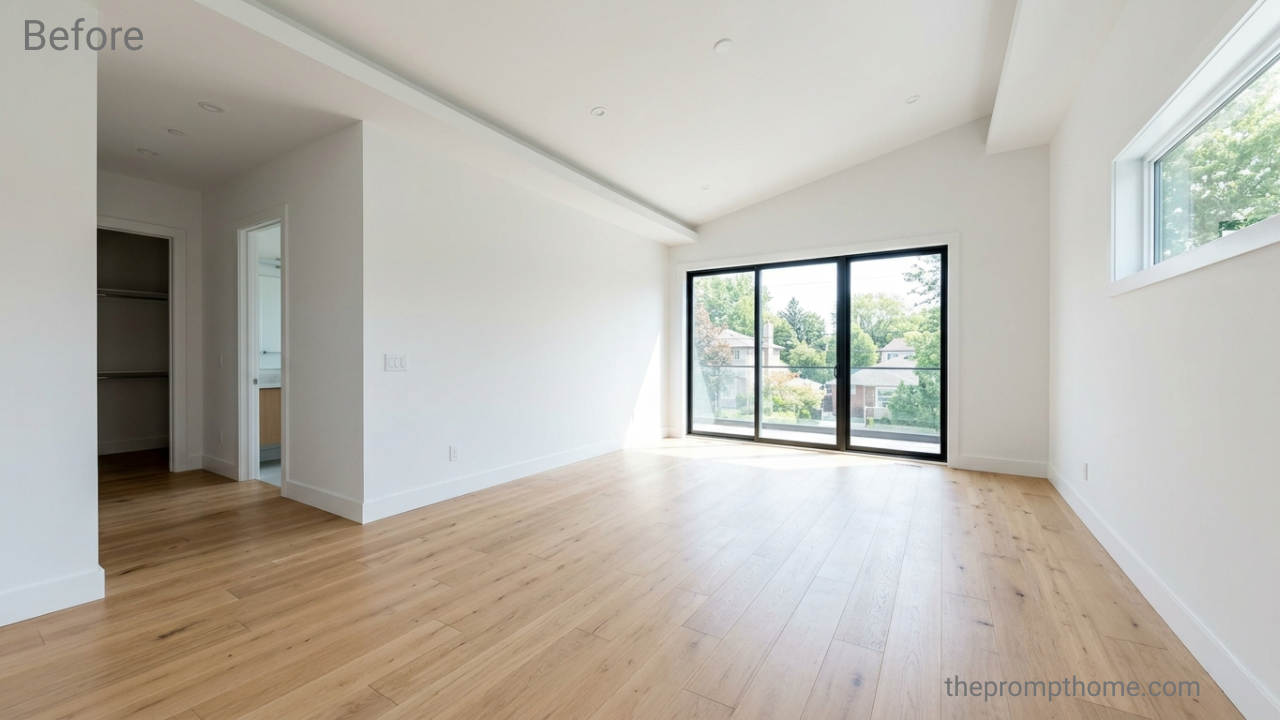
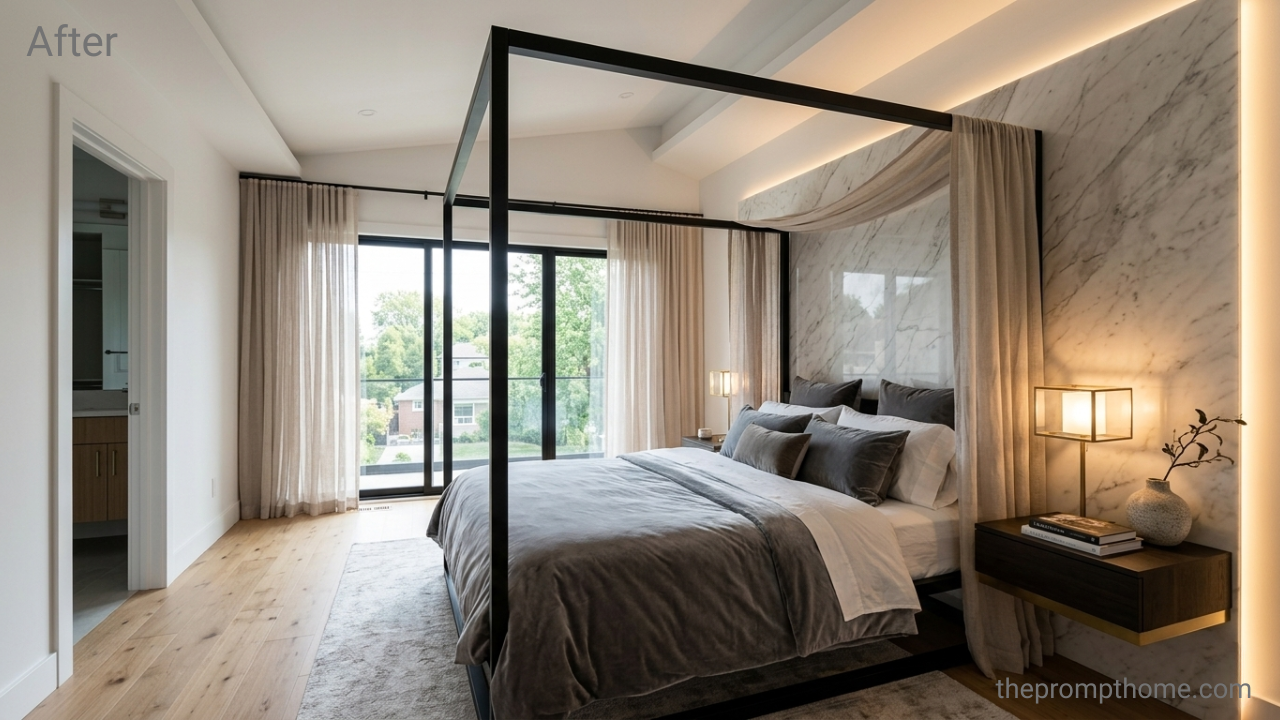
Why This Works: By specifying materials like “cream bouclé” and “backlit wooden wall panels,” it forces the AI to move away from generic plastic renders and generate realistic surface textures that mimic high-end interior architecture.
The Living Room
Great living rooms rely on soaring architecture and striking central focal points. This setup introduces double-height ceilings, a massive monolithic stone fireplace, and premium Italian furniture layouts designed to impress.
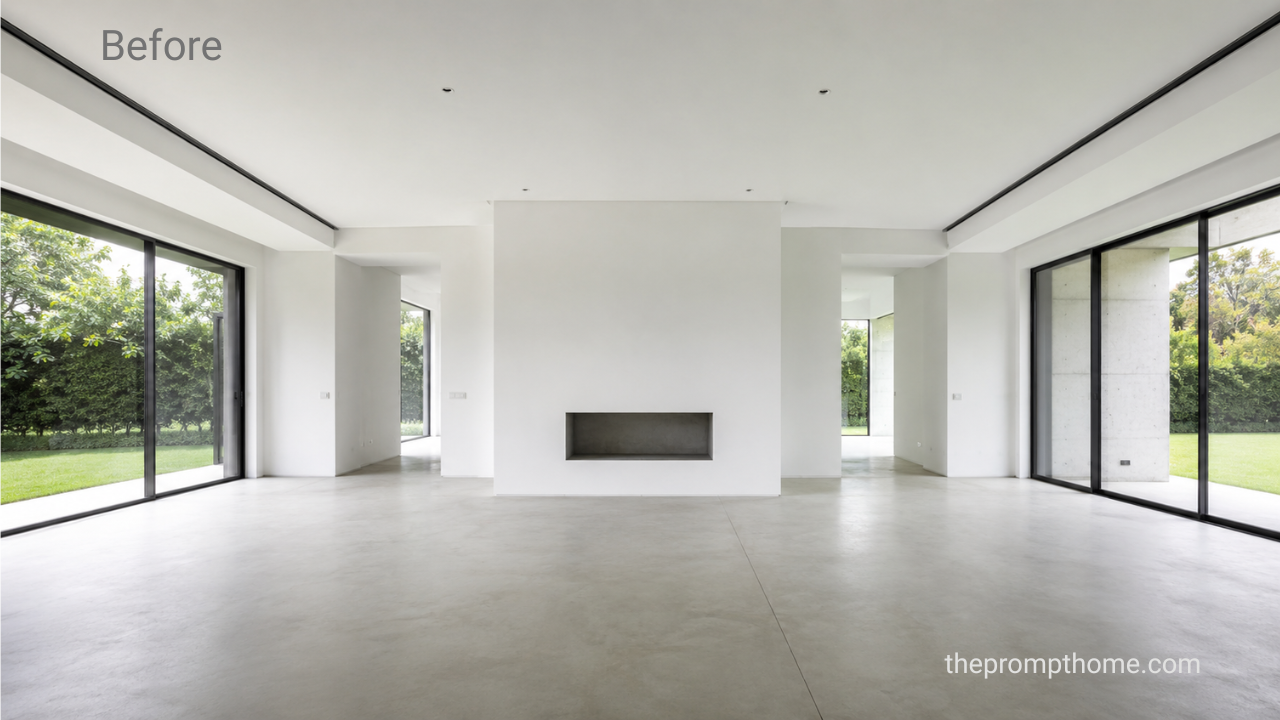
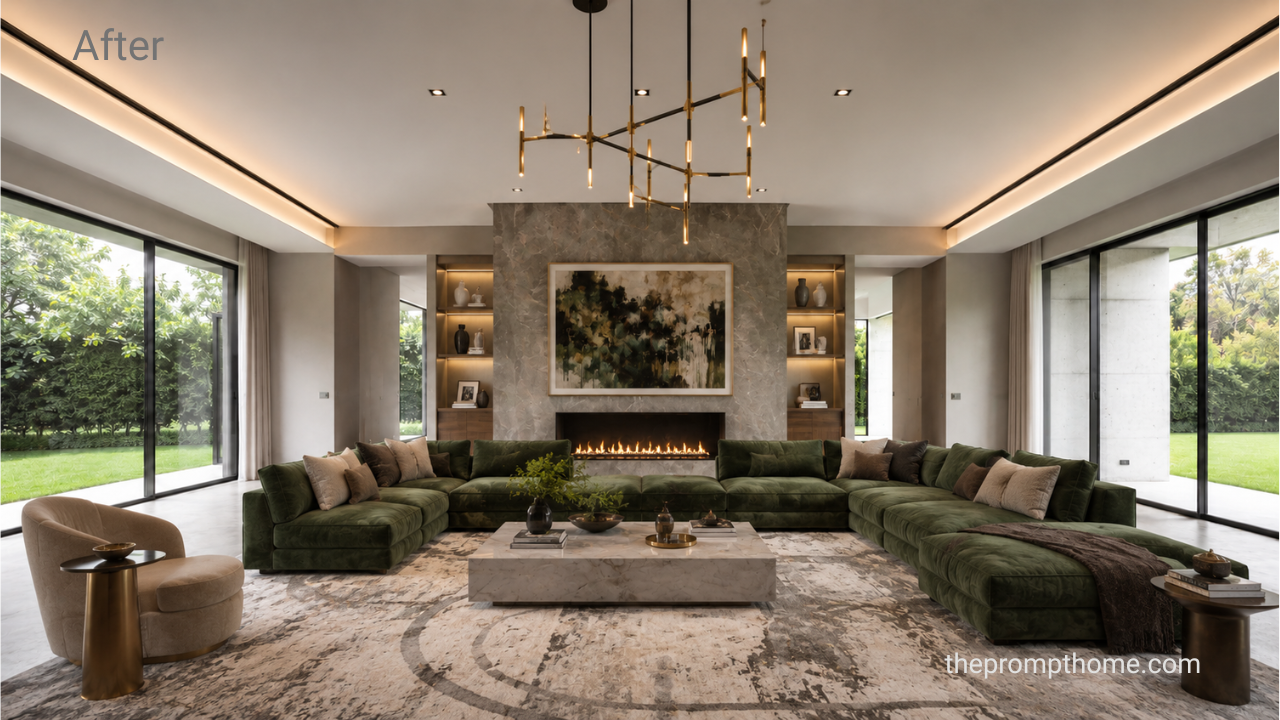
Why This Works: The combination of raw architectural concrete, walnut slats, and travertine stone creates a rich contrast of materials. The spacious prompt structure leaves ample room for clean compositions.
The Drawing Room / Executive Study
For home offices or formal receiving areas, the aesthetic must lean toward quiet luxury, intellectual authority, and immaculate bespoke craftsmanship. This prompt delivers a moodier, timeless executive atmosphere.
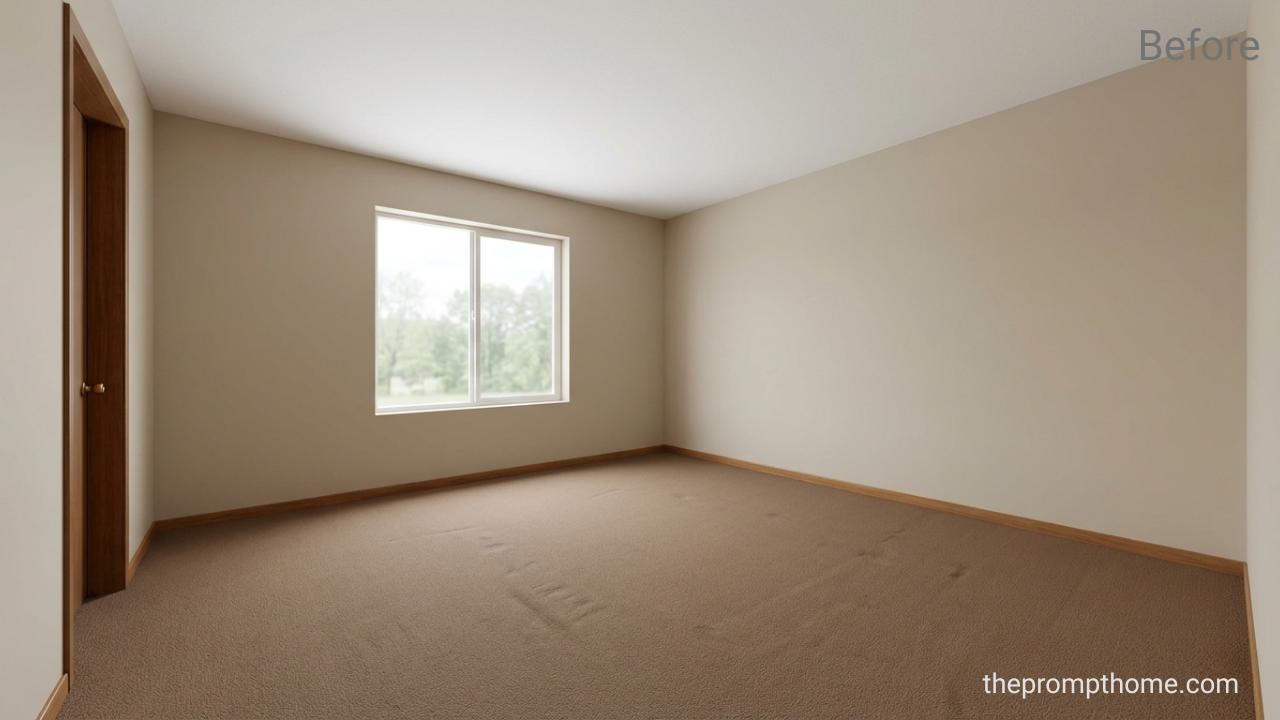
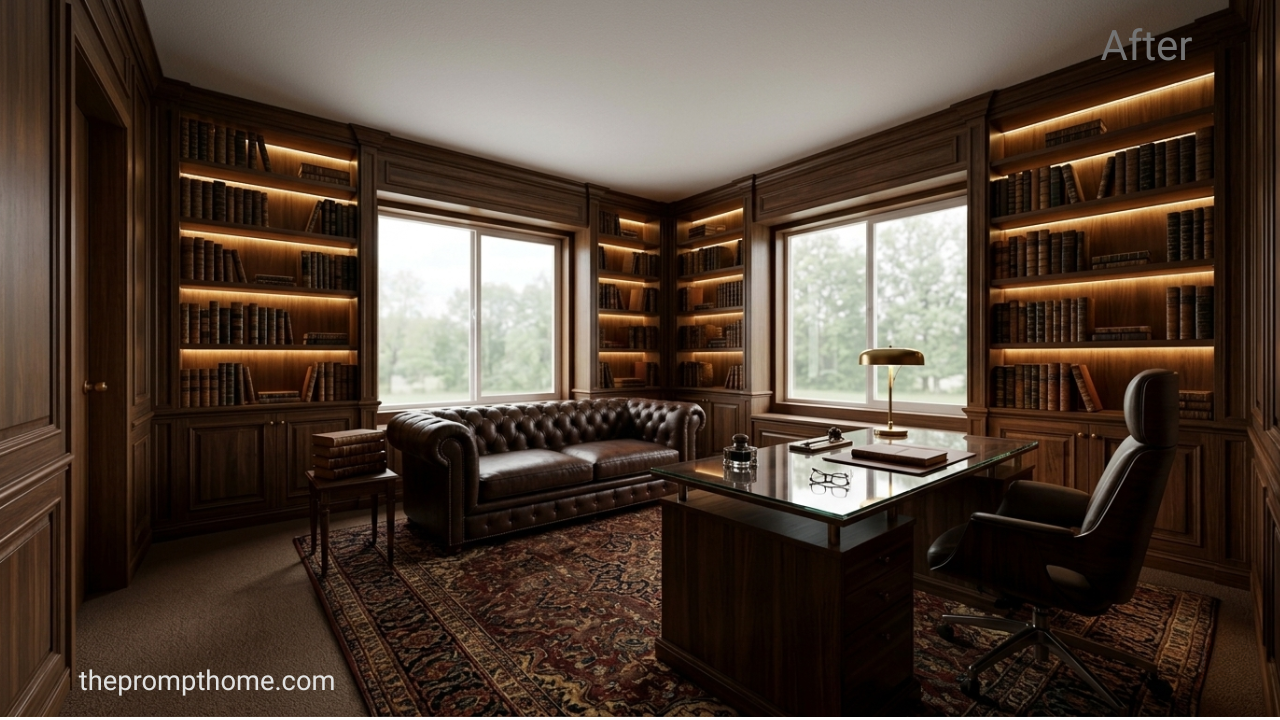
Why This Works: Specifying custom integrated lighting inside bookshelves forces the AI model to calculate advanced global illumination, rendering highly realistic depth and professional mood lighting.
The Modern Kitchen
High-end modern kitchens are defined by seamless, handle-less cabinetry and massive, uninterrupted stone islands. This prompt crafts a culinary space that looks straight out of an upscale design magazine.
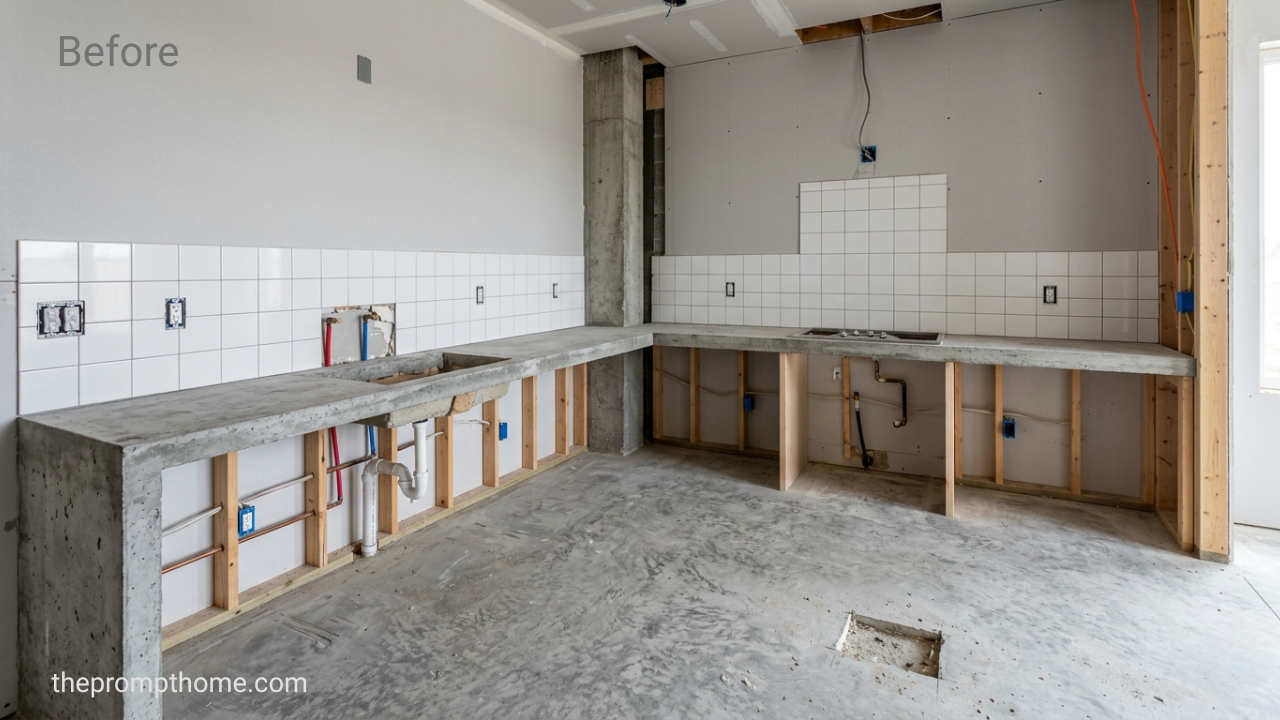
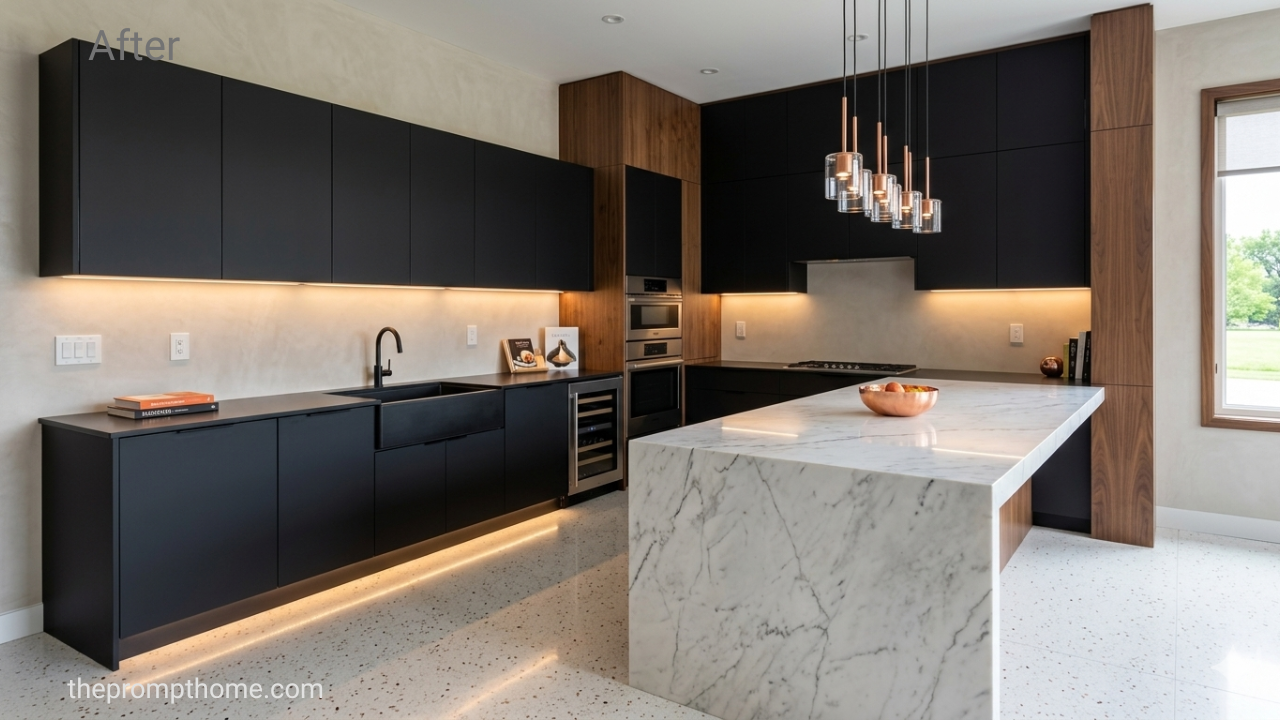
Why This Works: Using specific marble variants like “Calacatta marble with bold grey veining” ensures the AI applies premium, recognizable patterns rather than generic white glossy surfaces.
The Master Washroom
A luxury washroom should mirror the tranquility of a high-end wellness spa. This prompt utilizes bookmatched natural stone walls and concealed lighting layouts to create a seamless luxury bathroom environment.
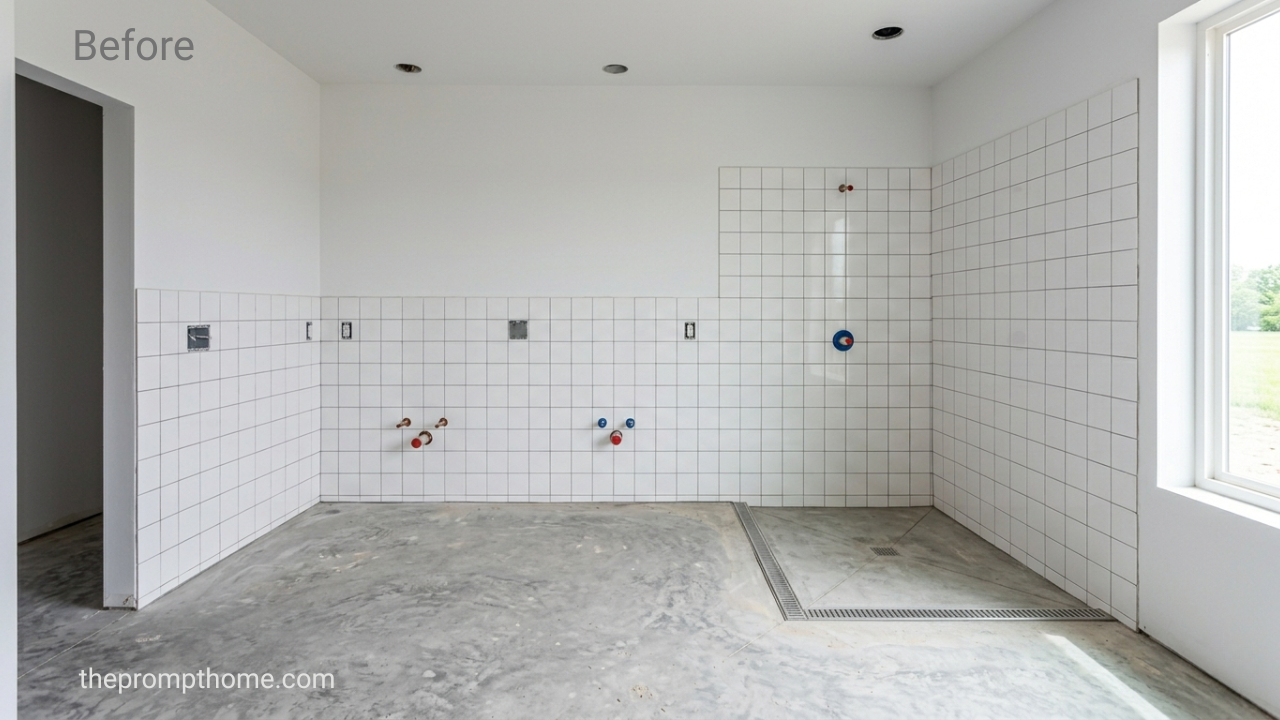
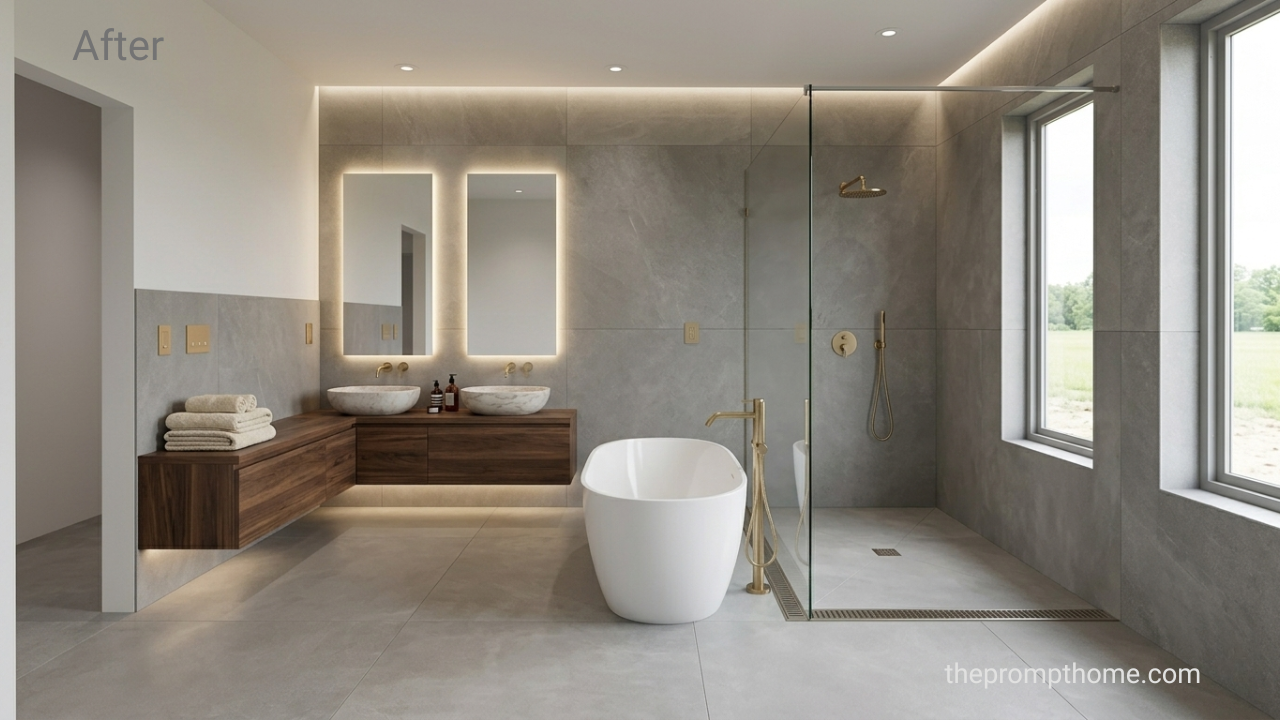
Why This Works: Incorporating specific technical elements like “bookmatched emerald quartzite” and “fluted glass partitions” showcases expert design terminology that signals premium quality to the generative model.
How & Where to Use These Prompts
Supported Generative Platforms
These text prompts are fully optimized for top-tier AI image generators. For the absolute best, cinematic, and photorealistic results, we highly recommend executing them inside Midjourney (v6) or Leonardo AI. However, they also maintain excellent layout cohesion when used inside DALL-E 3 or Adobe Firefly.
The Step-by-Step Image-to-Image Workflow (Before & After)
To transform the exact architectural structure of an existing physical room into these luxury setups, follow this precise image guidance workflow:
Upload Your Base Image: Upload a clear, well-lit photo of your empty or unfinished room directly into Midjourney or your preferred AI tool.
Retrieve the Direct Link: Right-click the uploaded image and copy the direct image URL ending in
.jpgor.png.Combine URL and Text Prompt: Type
/imaginein Midjourney, paste the image link first, add a single space, and then paste one of our premium luxury interior text prompts from above.Lock the Structural Dimensions: If using Midjourney, add the parameter
--iw 2.0(Image Weight) at the very end of your final text string. This instructs the engine to heavily respect the structural placement of your physical doors, windows, and walls while completely re-skinning the interior finishes and decor.
Video Usage Blueprint: Creating Viral Transitions
Static images are fantastic for portfolios, but short-form video platforms like TikTok, Instagram Reels, and YouTube Shorts drive the highest organic traffic. Use your generated concepts to create viral visual content:
The Dramatic “Before & After” Dissolve: Take your original raw photo of the empty room and pair it side-by-side with your newly generated luxury concept. Use a clean, cinematic slow-dissolve or sliding mask transition synced to a trending ambient music track.
Cinematic Walkthroughs via Video AI: Feed your final generated “After” image into advanced AI video platforms such as Luma Dream Machine, Runway Gen-3, or Sora. Use motion-control text commands like: “Slow, smooth cinematic camera pan to the right, highlighting premium interior design finishes, 4k resolution.”
The “Design Prompt Breakdown” Tutorial: Create an educational video showing your screen as you paste these specialized material keywords. Highlight how adding phrases like “matte black finishes” or “integrated LEDs” completely shifts an average AI generation into a multimillion-dollar luxury render.
Full-House Spaces & Material Palette Comparison
| Interior Space | Core Structural Material | Key Aesthetic Highlight | Optimal Lighting Configuration |
| Master Bedroom | Warm Walnut Wood Panels | Cream Bouclé Upholstery | Diffused Morning Daylight + Warm LEDs |
| Living Room | Monolithic Travertine Stone | Double-Height Ceilings | Hidden Ambient Light + Side Shadows |
| Executive Study | Bespoke Dark Oak Built-ins | Tan Leather Chesterfield | Atmospheric Mood Lighting |
| Modern Kitchen | White Calacatta Marble | Matte Handle-less Cabinets | Overhead Skylight + Natural Rays |
| Master Washroom | Emerald Quartzite Slabs | Fluted Glass Partitions | Concealed Spa-like LED Lighting Strips |
Pro Tips for Real Estate and Design Portfolios
Avoid Text Generation Anomalies: AI image tools occasionally try to insert random text or garbled labels on products. If an otherwise perfect render features a weird artifact, use an inpainting tool to paint over it or clean it up in Photoshop before showcasing it to clients.
Maintain Architectural Continuity: When visualizing multiple rooms for the exact same house project, keep your secondary style modifiers consistent. Re-using terms like “elegant neutral color palette” or “brushed brass fixtures” across different prompts creates a cohesive visual flow throughout the entire digital house tour.
Test in Realistic Standard Lighting: While extreme fantasy lighting looks cool, corporate clients and real estate buyers prefer believable lighting setups. Stick to terms like “natural overcast daylight” or “architectural interior lighting” to ensure your digital designs feel genuinely achievable in the physical world.
Create Your Own AI Art Now!
Use our powerful, custom-built AI Prompt Generation tool to turn your words into masterpieces instantly.
Try Our AI Tool 🚀