Midjourney Cinematic Photography Prompts: Camera & Lens Guide
The world of AI-generated imagery has evolved past flat, digital vector graphics. Today, digital creators, professional designers, and content marketers aim for a realistic aesthetic that captures the look of a physical camera shot. However, typing generic phrases like “photorealistic” or “hyper-detailed 8k” into an image generator rarely yields high-end results. To achieve genuine movie-grade aesthetics, understanding how to use Midjourney cinematic photography prompts—along with learning camera lenses, lighting angles, and basic composition—is essential.
While mainstream search trends heavily favor specialized design tools, creating high-tier visual assets requires a strategic approach. By structuring your text inputs with precise photographic terminology, you can guide the model to behave like a real-world cinematographer rather than a digital painter.
Practical Insights: Midjourney vs. Leonardo vs. Gemini
In Our Experience: During our testing with these tools at The Prompt Home, we ran identical cinematic scripts across different image generation engines to see how they handle lighting and human features. While platforms like Midjourney and Leonardo AI capture massive search traffic and offer extensive manual style adjustments, our practical work revealed some interesting variations.
When creating complex human subjects, platforms like ChatGPT (DALL-E 3) and Leonardo can sometimes alter facial details slightly upon subsequent generations. In our testing, Gemini generally produced more consistent facial details and balanced skin textures than the other models we evaluated. It managed natural light environments cleanly without requiring overly complex keyword stuffing. Therefore, the architectural rules we outline below are designed to be flexible enough to deploy across your preferred rendering dashboards, whether you prefer using Midjourney or alternative tools.
Quick Reference: Generative Engine Comparison
To help you choose the right tool for your specific visual projects, here is how the top platforms performed across critical photography metrics during our practical trials:
| Generative Tool | Best Used For | Lighting Quality | Face Consistency | Lens Realism |
| Midjourney | Stylized Editorial & Fashion | Exceptional | Moderate | High Accuracy |
| Leonardo AI | Concept Art & Gaming Assets | High | Moderate | Balanced |
| Google Gemini | Realism & Natural Lighting | Balanced / Realistic | Clean and Consistent | Exceptionally Clean |
| ChatGPT (DALL-E 3) | Fast Conceptual Mockups | Vibrant / Digital Styles | Lower Contrast Control | Moderate Lens Accuracy |
How to Structure Cinematic AI Prompts
To ensure your text inputs translate into clean visual outputs, move away from chaotic keyword lists. Instead, adopt a clean, structural sequence. If you want to understand the core logic of instructing artificial intelligence, check out our comprehensive guide on advanced prompt engineering frameworks to upgrade your writing layout.
A well-structured AI photography prompt should generally follow this sequence:
[Core Subject] + [Environment/Setting] + [Camera Model & Lens Type] + [Lighting Condition] + [Visual Style/Mood]
Style 1: The High-Fashion Portrait Layout
This framework is well-suited for character design, editorial portfolios, and clean social media layouts. It focuses on sharp focus, a shallow depth of field, and natural studio shadows.
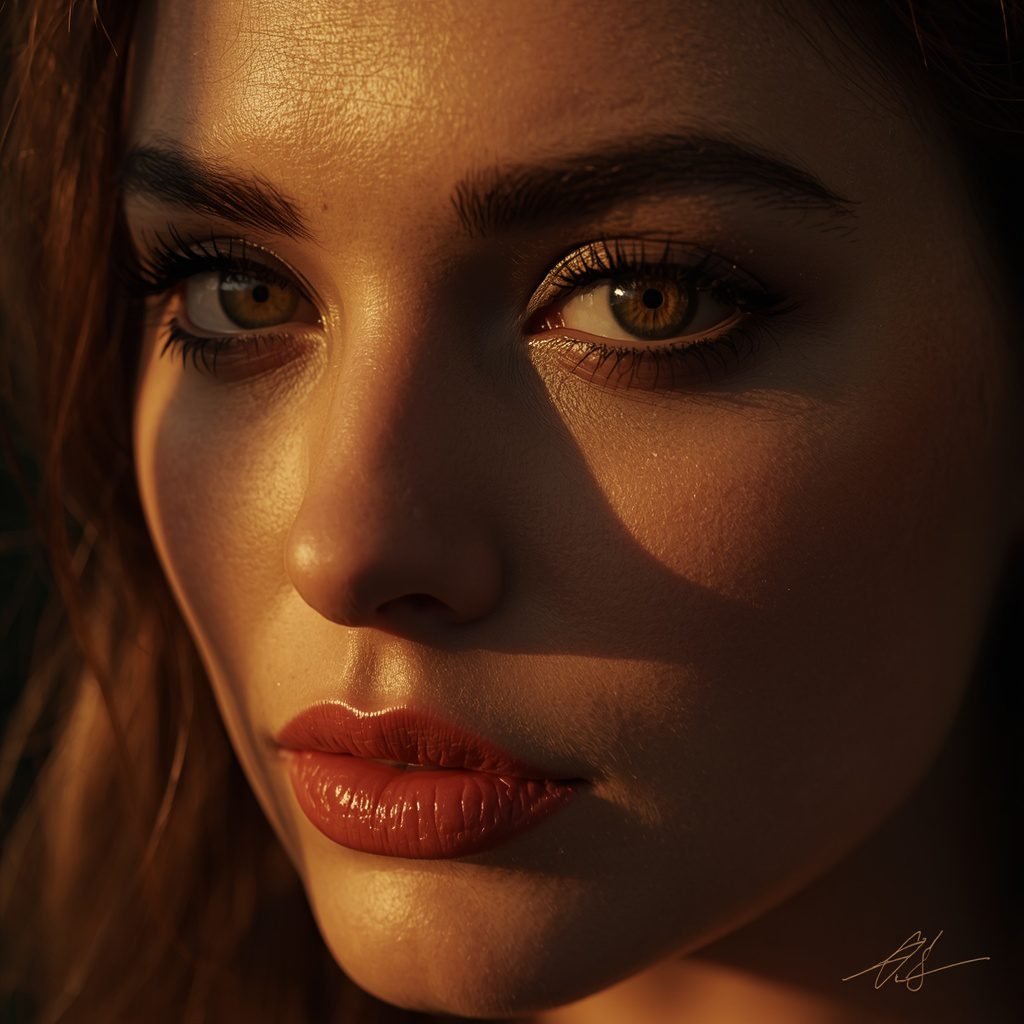
Copy the Portrait Prompt Code Below:
Prompt Breakdown & Best Practices
Why This Prompt Works: By explicitly naming the ARRI Alexa 65 and an 85mm anamorphic lens, you encourage the rendering engine to mimic a shallow depth of field (blurry background) and professional color grading rather than a flat smartphone look.
Best AI Settings: Stylize:
Medium| Aspect Ratio:16:9or9:16for mobile short-form layouts.Negative Parameters:
airbrushed skin, plastic textures, oversaturated colors, drawing, 3D render, cartoon, deformed eyes, extra limbs, signatures.Common Mistakes to Avoid: Avoid adding buzzwords like “photorealistic” or “ultra-4k.” These terms often produce generic-looking results. Use specific technical terms like “sensor fidelity” or “volumetric lighting” instead to achieve stronger cinematic outputs.
Style 2: The Modern Interior Architectural Showcase
Perfect for real estate mockups, architectural portfolios, and interior design concepts. This style focuses on spatial depth, clean geometric symmetries, and natural light diffusion.
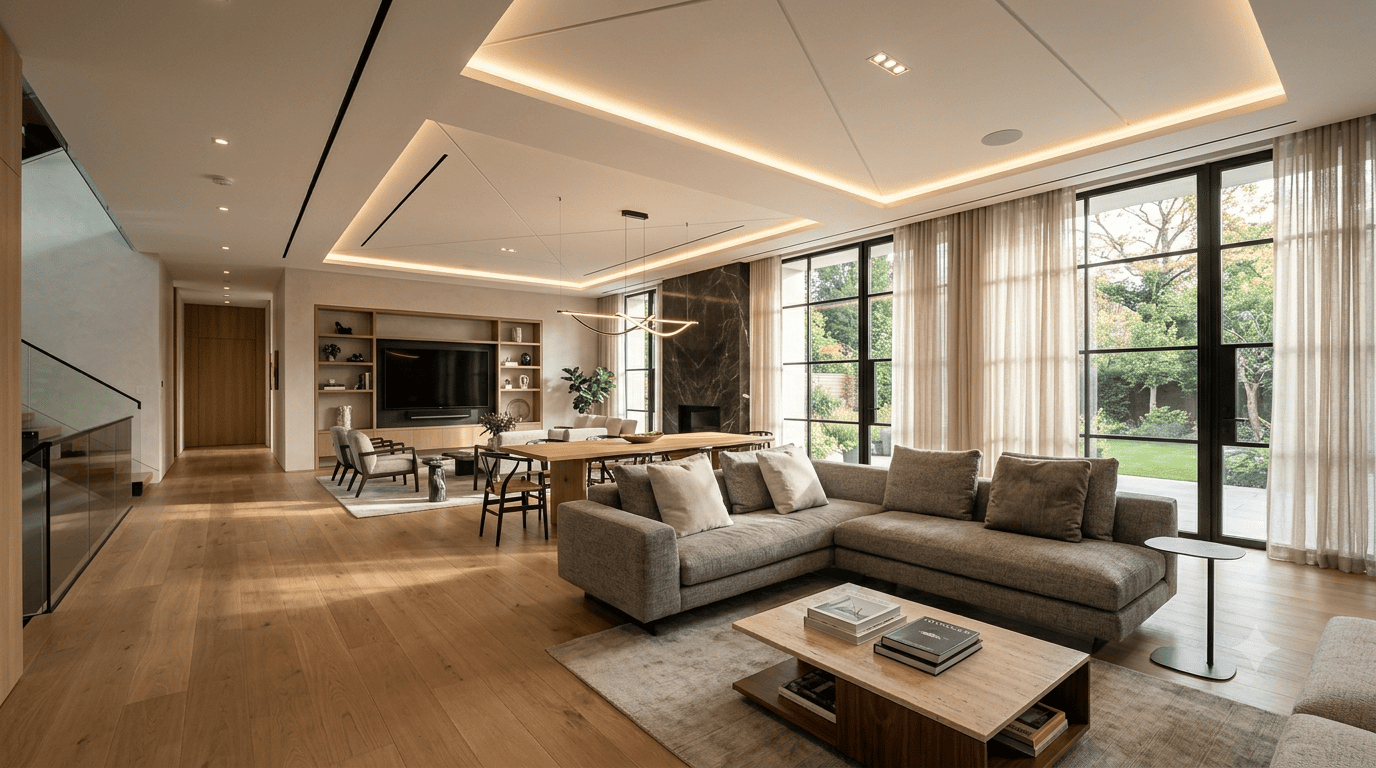
Copy the Architectural Prompt Code Below:
Prompt Breakdown & Best Practices
Why This Prompt Works: A 24mm wide-angle lens is a standard choice for real estate photography because it captures spatial depth without distorting the straight geometric lines of ceilings, walls, and flooring. This makes it an excellent choice for Midjourney camera prompts.
Best AI Settings: Quality:
High| Style:Raw(if using Midjourney to reduce over-stylized digital textures).Negative Parameters:
crooked lines, architectural distortion, lens flare, oversaturated neon, low-contrast, messy layout, blurry textures.Expected Output: A clean, balanced interior shot that highlights natural material textures and realistic light interactions without artificial warping.
Troubleshooting: Solving Common AI Photography Flaws
Even with precise prompt engineering, image generators can occasionally produce unusual patterns or unwanted digital artifacts. Here is how to fix the most common visual errors:
1. Fixing “Plastic” or Over-Smoothed Skin
The Issue: The AI generates a face that looks like a wax statue or a heavily filtered mobile photo.
The Solution: Add terms like “raw film grain,” “visible skin pores,” or “unfiltered documentary texture” to your prompt. Ensure words like “smooth,” “perfect,” or “flawless” are entirely removed.
2. Correcting Distorted Architectural Lines
The Issue: Walls, ceilings, or flooring lines appear bent, warped, or geometrically impossible.
The Solution: Specify a lower focal length lens like a 24mm architectural lens and add the instruction “perfect grid alignment” or “symmetrical interior photography style.” In your negative prompt, include the words “fisheye lens distortion” and “warped geometry.”
3. Balancing Blown-Out Lighting
The Issue: The light source is too bright, erasing the fine details of your subject or background textures.
The Solution: Replace terms like “bright light” with professional exposure terms such as “soft diffused ambient lighting,” “subtle rim lighting,” or “low-contrast cinematic exposure.”
Frequently Asked Questions (FAQ)
Why should I include specific camera models in my AI image prompts?
Modern image generation models learn visual patterns from extremely large datasets. By specifying a camera like the ARRI Alexa or RED V-Raptor, you tap into visual styles associated with professional photography and film, helping the model emulate that specific color balance and depth.
Which AI engine handles facial details consistently for a multi-image series?
While many users look for specialized Midjourney cinematic photography prompts to build characters, our practical experience indicates that Google’s Gemini provides reliable structural face stability and natural skin textures across multiple generations, making it highly effective for character work.
What is the purpose of using a negative prompt in AI photography?
Negative prompts act as boundaries for the generative engine. By explicitly listing terms like “airbrushed skin” or “plastic textures,” you prevent the AI from defaulting to hyper-smooth or artificial faces, keeping the final output grounded in realism.
How do I control the blurriness of the background in AI photos?
You can manage background diffusion by mentioning specific lens sizes and apertures. Using phrases like “85mm lens, f/1.4 aperture, shallow depth of field” guides the model to isolate your foreground subject while naturally blurring out the background elements.
Can these cinematic prompts be used for commercial design projects?
Yes. Prompts structured using professional camera and lighting parameters generate unique, high-quality visual assets that can be used for website headers, digital marketing creatives, brand portfolios, and editorial layouts.
Final Thoughts
Improving your AI imagery requires looking at the process through the lens of a professional photographer. By structuring your text inputs with accurate camera lenses, natural lighting environments, and realistic spatial logic, you gain far better command over your visual outputs. Explore these frameworks, look at the unique strengths of different systems like Gemini and Midjourney, and build a clean visual portfolio that represents your brand effectively.
About The Author
Saleem Noor is a graphic interior decorator, digital content creator, and the founder of The Prompt Home. Drawing on his background in physical interior renovations and ongoing work with generative AI systems, he writes practical, straightforward guides to help creators understand image generation models and improve their digital production workflow.
Create Your Own AI Portfolio Now!
Use our powerful, custom-built AI Portfolio Generation tool to turn your words into masterpieces instantly.
Try Our Free AI Portfolio 🚀Create Your Own AI Art Now!
Use our powerful, custom-built AI Prompt Generation tool to turn your words into masterpieces instantly.
Try Our Free AI Tool 🚀