Pixar Style 3D Portrait: 2 Stunning Prompts for Character Art
The digital design space is experiencing a massive wave of nostalgia and emotional branding right now. Audiences in the USA and Europe are moving away from sharp, overly realistic human renders and gravitating toward warm, highly expressive character designs. At the absolute forefront of this movement is the Pixar Style 3D Portrait aesthetic. This unique art style relies on clean clay-like textures, oversized expressive eyes, soft atmospheric lighting, and deep emotional storytelling that immediately hooks the viewer.
Whether you are looking to scale your digital art portfolio, design custom brand avatars for high-paying remote clients, or create viral content for lifestyle social channels, mastering this specific character style delivers immense commercial value. The true secret to generating a flawless Pixar Style 3D Portrait lies in how you instruct the AI engine to handle subsurface scattering—the scientific way light passes through soft materials like skin and fabric—alongside detailed facial expressions.
To make your character designs feel alive, adding a loyal domestic pet creates an instant narrative bond that boosts audience engagement. Let’s look at two production-ready, masterfully engineered prompt setups designed to deliver studio-grade 3D renders completely for free.
The Master 3D Character Prompt Collection
These copy-paste structures include precise material textures, camera focal depths, and lighting commands to ensure a genuine cinematic animation finish.
Prompt 1: The Cheerful Young Man and His Loyal Golden Retriever
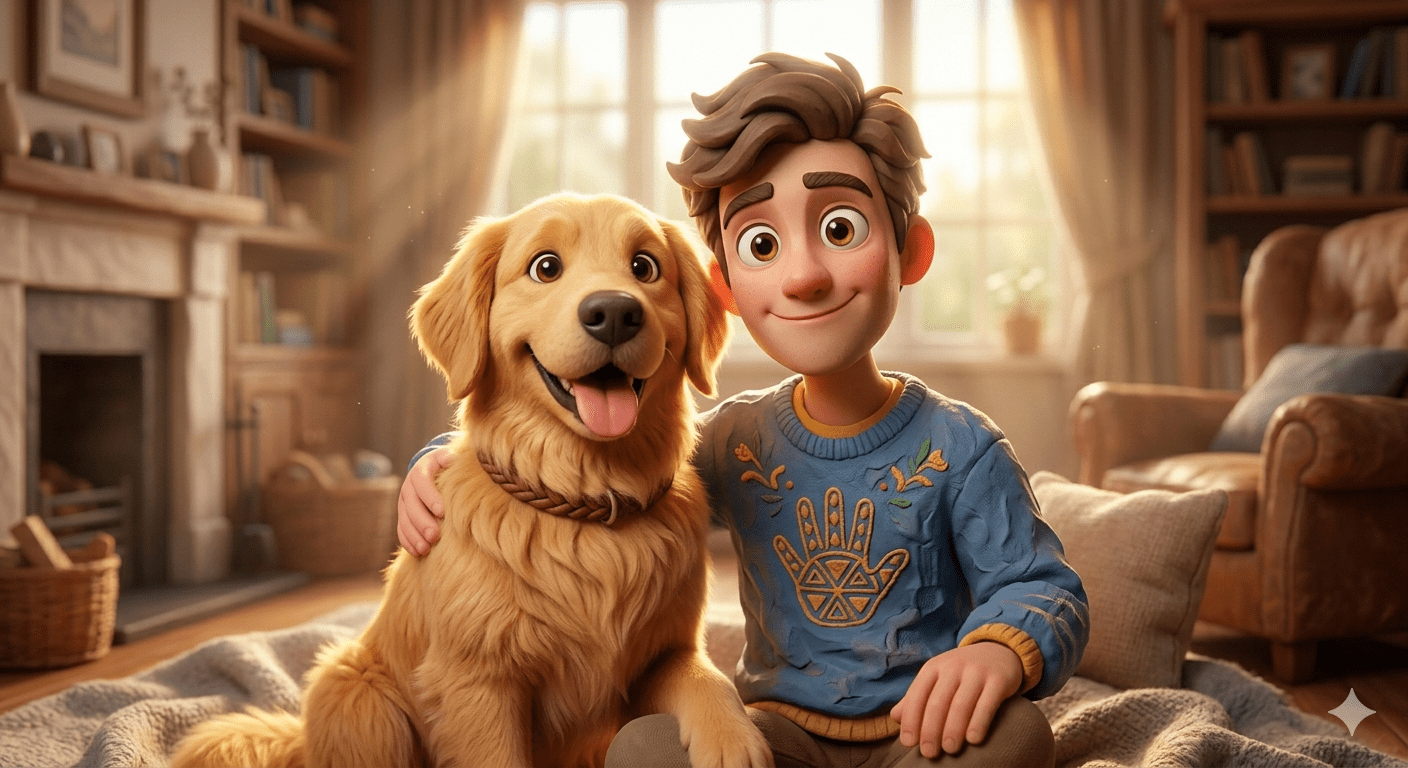
Copy the First Character Prompt Below:
Prompt 2: The Cozy Young Woman and Her Fluffy Calico Cat
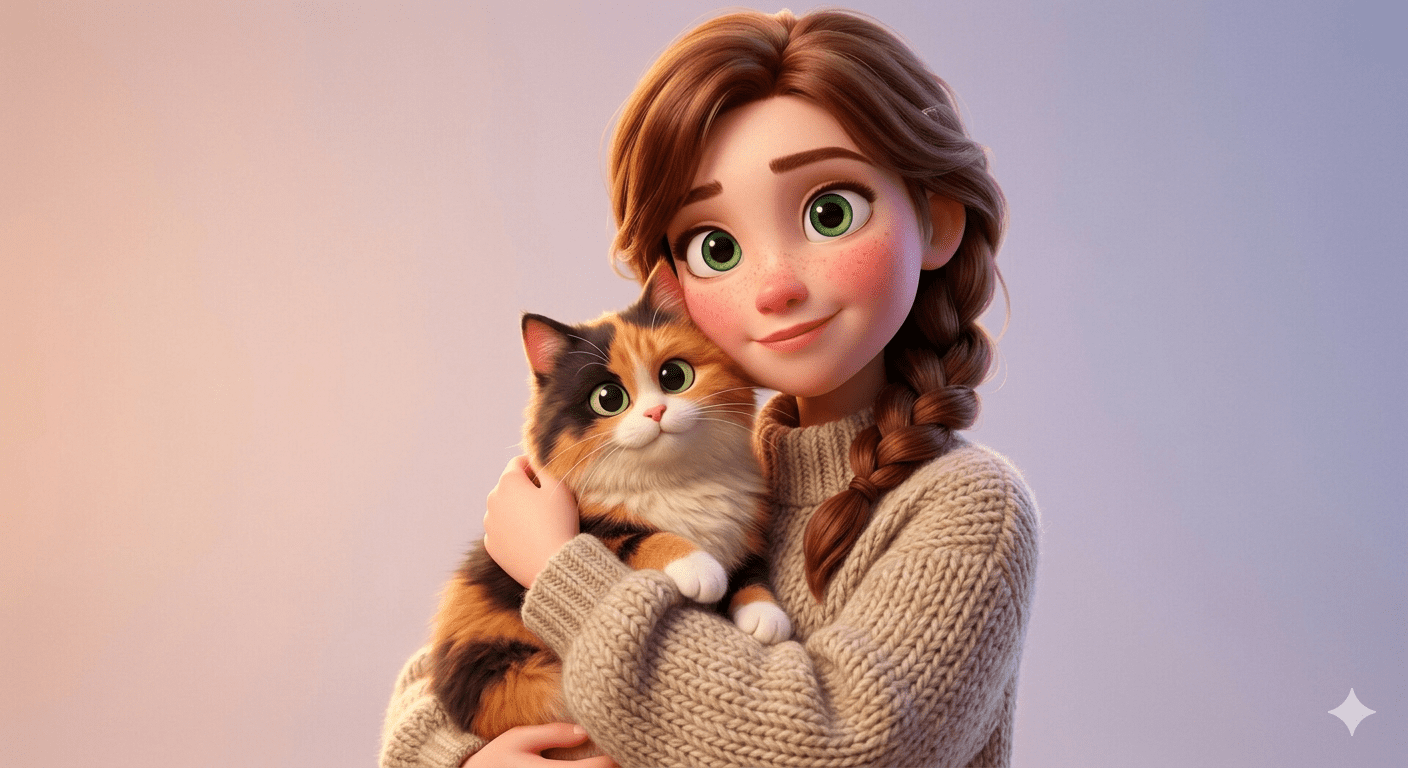
Copy the Second Character Prompt Below:
Step-by-Step Guide: Generating Studio-Grade 3D Art for Free
Creating an authentic animated look without purchasing expensive high-end software is incredibly straightforward if you utilize the correct free neural networks:
1. The Ultimate Free Method
Google Gemini & Bing Image Creator: These text-to-image systems excel at rendering stylized cartoon aesthetics. When you input phrases like “Pixar style 3D portrait” and “subsurface scattering on the skin,” the system automatically dials back realistic skin pores and emphasizes smooth, vibrant clay geometry.
Leonardo AI: For an absolute premium finish for free, select the “3D Animation Style” or “Anime XL” fine-tuned models. These models are pre-trained on millions of animated movie frames, ensuring the lighting on the sweater fabric and animal fur looks rich and professional.
2. High-End Commercial Workflow
Midjourney v6: If you are building character assets for professional branding clients, use these prompts with standard configurations. To give the characters an extra layer of cinematic polish, consider adding the parameter
--stylize 100or--nioto keep the stylized features clean and uniform across variations.
Viral Growth Strategy: Animating Characters for Social Media
Character art featuring cute animals is absolute gold for short-form video platforms like TikTok, Instagram Reels, and YouTube Shorts, particularly when targeting premium Western audiences. Turning these static renders into moving clips drives explosive watch time:
The Living Avatar Hook: Take your completed 3D character render and upload it into an AI video generator like Kling or Runway. Issue a simple animation command: “Make the character gently smile and nod, while the dog wags its tail and pants happily.” This creates a mesmerizing “living photo” that functions beautifully as a high-retention video intro.
The Behind-the-Scenes Digital Craft: Create a process video. Start the short-form clip by showing the raw text prompt typed into the empty search bar. Right on the beat drop of an upbeat, cinematic orchestral track, cut directly to the glorious, high-resolution 8K character render.
Interactive Comments: Use a clean text overlay on the video asking: “What should we name this character and their pet? Best comment gets pinned!” This simple strategy generates massive comment section velocity, forcing the platform algorithm to push your content to wider feeds.
Smart Customization Tweaks for Infinite Variations
You can easily treat these two prompt frameworks as modular baselines. By swapping out a few key descriptive variables, you can create dozens of unique character designs for your website’s portfolio without starting from scratch:
Modify the Character Expressions: Change words like “cheerful” or “kind-hearted” to “curious”, “brave adventuring”, or “clumsy mischievous” to instantly alter the mood of the portrait.
Swap Pet Breeds & Actions: Easily replace a “golden retriever dog” or “calico cat” with an “adorable French bulldog puppy wearing a tiny scarf” or a “fluffy Persian kitten playing with a ball of yarn”.
Update the Seasonal Wardrobe: Change clothing descriptions from a “knitted wool sweater” to a “rain yellow jacket”, a “retro astronaut suit”, or “explorer gear” to fit specific holiday or niche market themes effortlessly.
Conclusion
Mastering the iconic 3D animation look within AI art generation is all about balancing smooth clay shaders with expressive emotional lighting. By utilizing these precise Pixar Style 3D Portrait frameworks, you eliminate the flat, awkward look of low-quality graphics and step directly into professional character design. Select your favorite character-pet pairing, adjust the clothing and background textures to match your platform’s creative theme, and start publishing world-class animated assets completely for free today!
Create Your Own AI Art Now!
Use our powerful, custom-built AI Prompt Generation tool to turn your words into masterpieces instantly.
Try Our Free AI Tool 🚀Create Your Own AI Portfolio Now!
Use our powerful, custom-built AI Portfolio Generation tool to turn your words into masterpieces instantly.
Try Our Free AI Portfolio 🚀